 Brecht De Ruyte [LinkedIn](https://www.linkedin.com/in/utilitybend) [Mastodon](https://front-end.social/@utilitybend) [Bluesky](https://bsky.app/profile/utilitybend.com) [Homepage](https://utilitybend.com/)
Published: October 10, 2025

The classic board game, [*Guess Who?*](https://en.wikipedia.org/wiki/Guess_Who%3F),
is a masterclass in deductive reasoning. Each player starts with a board of
faces and, through a series of yes or no questions, narrows down the
possibilities until you can confidently identify your opponent's secret
character.
After seeing a demo of [built-in AI](https://developer.chrome.com/docs/ai/built-in) at Google I/O Connect,
I wondered: what if I could play a Guess Who? game against AI that lives in
the browser? With client-side AI, the photos would be interpreted locally, so a
custom Guess Who? of friends and family would remain private and secure on
my device.
My background is primarily in UI and UX development, and I'm used to building
pixel-perfect experiences. I hoped I could do exactly that with my
interpretation.
My application, *AI Guess Who?* , is built with React and uses the
[Prompt API](https://developer.chrome.com/docs/ai/prompt-api.md.txt) and a browser built-in model to create a
surprisingly capable opponent. In this process, I discovered it's not so simple
to get "pixel-perfect" results. But, this application demonstrates how AI can be
used to build thoughtful game logic, and the importance of prompt engineering to
refine this logic and get the outcomes you expect.
Keep reading to learn about the built-in AI integration, challenges I faced, and
the solutions I landed on. You can
[play the game](https://brechtdr.github.io/ai-guess-who/) and find the
[source code on GitHub](https://github.com/brechtDR/ai-guess-who).
## Game foundation: A React app
Before you look at the AI implementation, we'll review the application's
structure. I built a standard React application with TypeScript, with a
central `App.tsx` file to act as the game's conductor. This file holds:
- **Game state** : An enum that tracks the current phase of the game (such as `PLAYER_TURN_ASKING`, `AI_TURN`, `GAME_OVER`). This is the most important piece of state, as it dictates what the interface displays and what actions are available to the player.
- **Character lists**: There are multiple lists that designate the active characters, each players' secret character, and which characters have been eliminated from the board.
- **Game chat**: A running log of questions, answers, and system messages.
The interface is broken down into logical components:
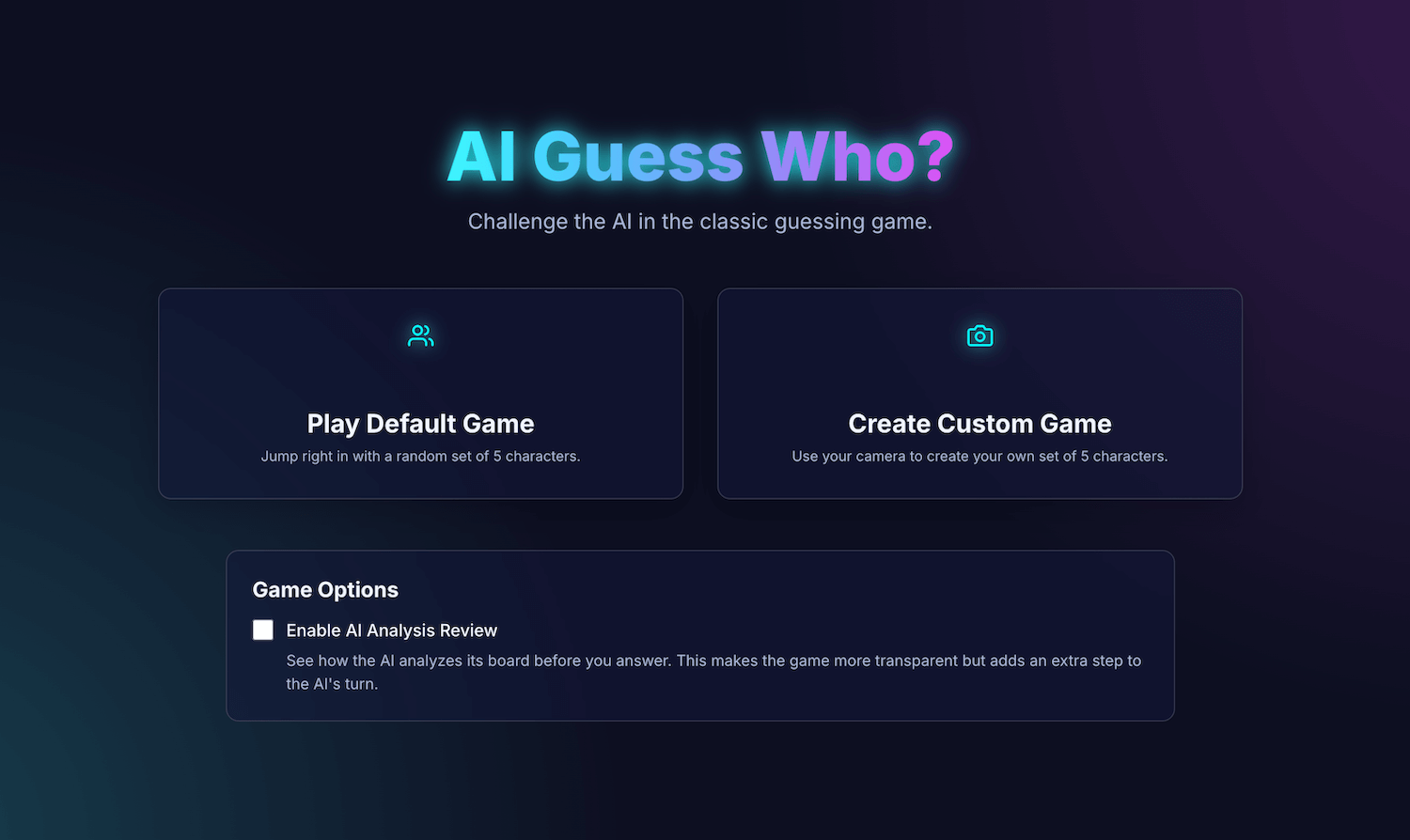 GameSetup is the initial screen. 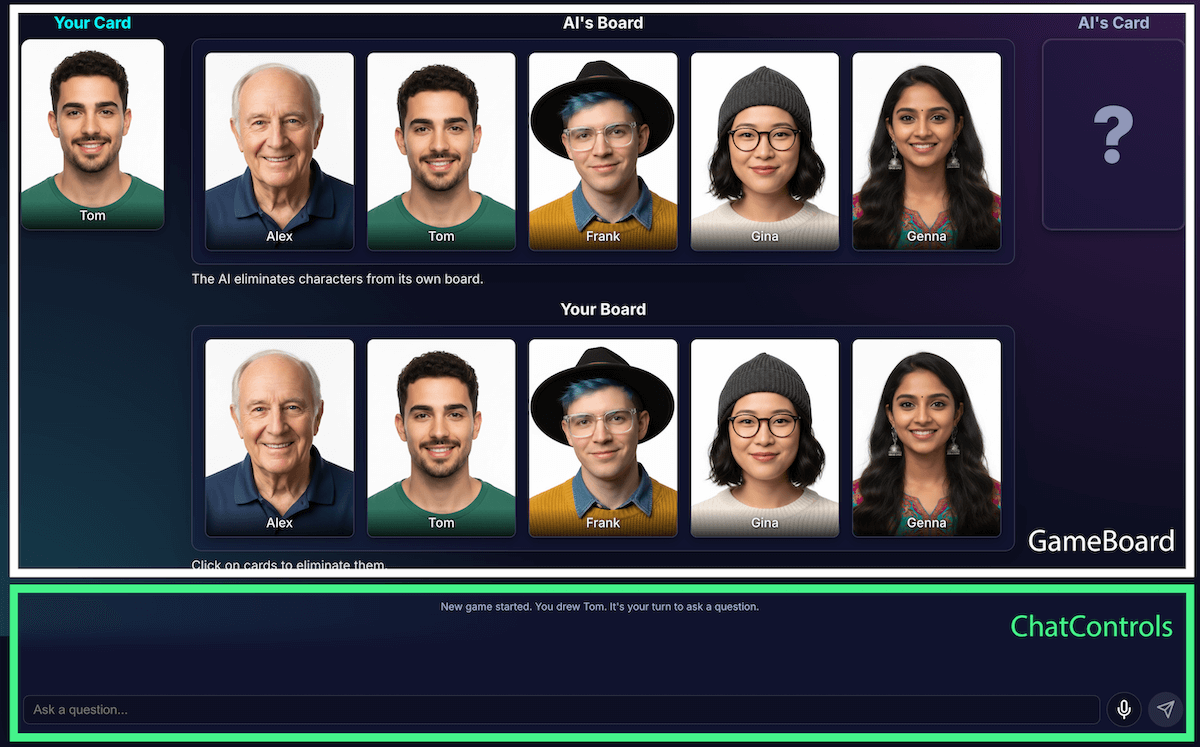 GameBoard displays the grid of characters and chat controls to handle all user input.
As the game's features grew, so did its complexity. Initially, the entire game's
logic was managed within a single, large custom
[React hook](https://react.dev/reference/react/hooks), `useGameLogic`, but it
quickly became too large to navigate and debug. To improve maintainability, I
refactored this hook into multiple hooks, each with a single responsibility.
For example:
- `useGameState` manages the core state
- `usePlayerActions` is for the player's turn
- `useAIActions` is for the AI's logic
The main `useGameLogic` hook now acts as a clean composer, placing these smaller
hooks together. This architectural change didn't alter the game's functionality,
but it made the codebase a whole lot cleaner.
## Game logic with the Prompt API
The core of this project is the use of the Prompt API.
I added the AI game logic to `builtInAIService.ts`. These are its key
responsibilities:
1. Allow restrictive, binary answers.
2. Teach the model game strategy.
3. Teach the model analysis.
4. Give the model amnesia.
### Allow restrictive, binary answers
How does the player interact with the AI? When a player asks, "Does your
character have a hat?", the AI needs to "look" at its secret character's image
and give a clear answer.
My first attempts were a mess. The response was conversational:
"No, the character I'm thinking of, Isabella, does not appear to be wearing a
hat," instead of offering a binary yes or no. Initially, I solved this with a
very strict prompt, essentially dictating to the model to only respond with
"Yes" or "No".
While this worked, I learned of an even better way using
[structured output](https://developer.chrome.com/docs/ai/structured-output-for-prompt-api.md.txt). By providing the
JSON Schema to the model, I could guarantee a true or false response.
```javascript
const schema = { type: "boolean" };
const result = session.prompt(prompt, { responseConstraint: schema });
```
This allowed me to simplify the prompt and let my code reliably handle the
response:
```javascript
JSON.parse(result) ? "Yes" : "No"
```
### Teach the model game strategy
Telling the model to answer a question is much simpler than having the model
initiate and ask questions. A good Guess Who? player doesn't ask random
questions. They ask questions that eliminate the most characters at once. An
ideal question reduces the possible remaining characters in half using binary
questions.
How do you teach a model that strategy? Again, prompt engineering. The prompt
for `generateAIQuestion()` is actually a concise lesson in Guess Who?
game theory.
Initially, I asked the model to "ask a good question." The results were
unpredictable. To improve the results, I added negative constraints. The prompt
now includes instructions similar to:
- "CRITICAL: Ask about existing features ONLY"
- "CRITICAL: Be original. Do NOT repeat a question".
These constraints narrow the model's focus, prevent it from asking irrelevant
questions, which make it a much more enjoyable opponent. You can review the
[full prompt file on GitHub](https://github.com/brechtDR/ai-guess-who/blob/master/src/services/prompts.ts).
### Teach the model analysis
This was, by far, the most difficult and important challenge. When the model
asks a question, such as, "Does your character have a hat," and the player
responds no, how does the model know what characters on their board are
eliminated?
The model should eliminate everyone with a hat. My early attempts were plagued
with logical errors, and sometimes the model eliminated the wrong characters or
no characters. Also, what is a "hat"? Does a "beanie" count as a "hat"? This is,
let's be honest, also something that can happen in a human debate. And of course,
general mistakes happen. Hair can look like a hat from an AI perspective.
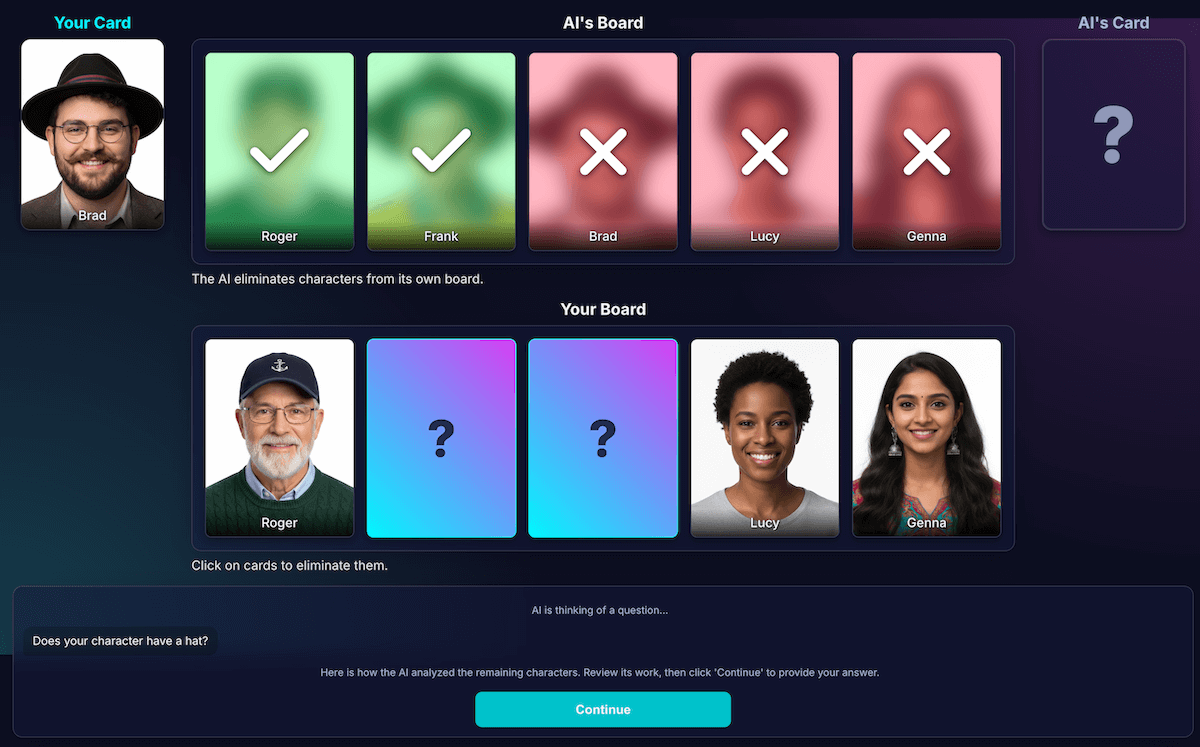
I redesigned the architecture to separate perception from code deduction:
1. **AI is responsible for visual analysis**. Models excel at visual analysis.
I instructed the model to return its question and a detailed analysis in a
strict JSON schema. The model analyzes each character on its board and answers
the question, "Does this character have this feature?" The model returns a
structured JSON object:
```javascript
{ "character_id": "...", "has_feature": true }
```
Once again, structured data is key to a successful outcome.
2. **Game code uses the analysis to make the final decision** . The application
code checks the player's answer ("Yes" or "No") and iterates through the AI's
analysis. If the player said "No," the code knows to eliminate every character
where `has_feature` is `true`.
I found this division of labor is key to building reliable AI applications.
Use the AI for its analytic capabilities, and leave binary decisions to your
application code.
To check the model's perception, I built a visualization of this analysis. This
made it easier to confirm if the model's perception was correct.
#### Prompt engineering
However, even with this separation, I noticed the model's perception could still
be flawed. It might misjudge whether a character wore glasses, leading to a
frustrating, incorrect elimination. To combat this, I experimented with a
two-step process: the AI would ask its question. After receiving the player's
answer, it would perform a second, fresh analysis with the answer as context.
The theory was that a second look might catch errors from the first.
Here's how that flow would have worked:
1. **AI turn (API call 1)**: AI asks, "Does your character have a beard?"
2. **Player's turn**: The player looks at their secret character, who is clean-shaven, and answers, "No."
3. **AI turn (API call 2)**: The AI effectively asks itself to look at all of its remaining characters, again, and determine which ones to eliminate based on the player's answer.
In step two, the model might still misperceive a character with a light
stubble as "not having a beard" and fail to eliminate them, even though the user
expected it to. The core perception error wasn't fixed, and the extra step just
delayed the results. When playing against a human opponent, we can specify an
agreement or clarification on this; in the current setup with our AI opponent,
this isn't the case.
This process added latency from a second API call, without gaining a significant
boost in accuracy. If the model was wrong the first time, it was often wrong the
second time, too. I reverted the prompt to review just once.
#### Improve instead of adding more analysis
I relied on a UX principle: The solution wasn't more analysis, but *better*
analysis.
I invested heavily in refining the prompt, adding explicit instructions for
the model to double-check its work and focus on distinct features, which proved
to be a more effective strategy for improving accuracy. Here's how the current,
more reliable flow works:
1. **AI turn (API call)**: The model is prompted to generate both its question
and its internal analysis at the same time, returning a single JSON object.
1. **Question**: "Does your character wear glasses?"
2. **Analysis (data)**:
```javascript
[
{character_id: 'brad', has_feature: true},
{character_id: 'alex', has_feature: false},
{character_id: 'gina', has_feature: true},
...
]
```
2. **Player's turn**: The player's secret character is Alex (no glasses), so
they answer, "No."
3. **Round ends**: The application's JavaScript code takes over. It doesn't
need to ask the AI anything else. It iterates through the analysis data from
step 1.
1. The player said "No."
2. The code looks for every character where `has_feature` is true.
3. It flips down Brad and Gina. The logic is deterministic and instant.
This experimentation was crucial, but required a lot of trial and error. I had
no idea if it was going to get better. Sometimes, it got even worse. Determining
how to get the most consistent results isn't an exact science (yet, if ever...).
But after a few rounds with my new AI opponent, a fantastic new issue appeared:
a stalemate.
#### Escape deadlock
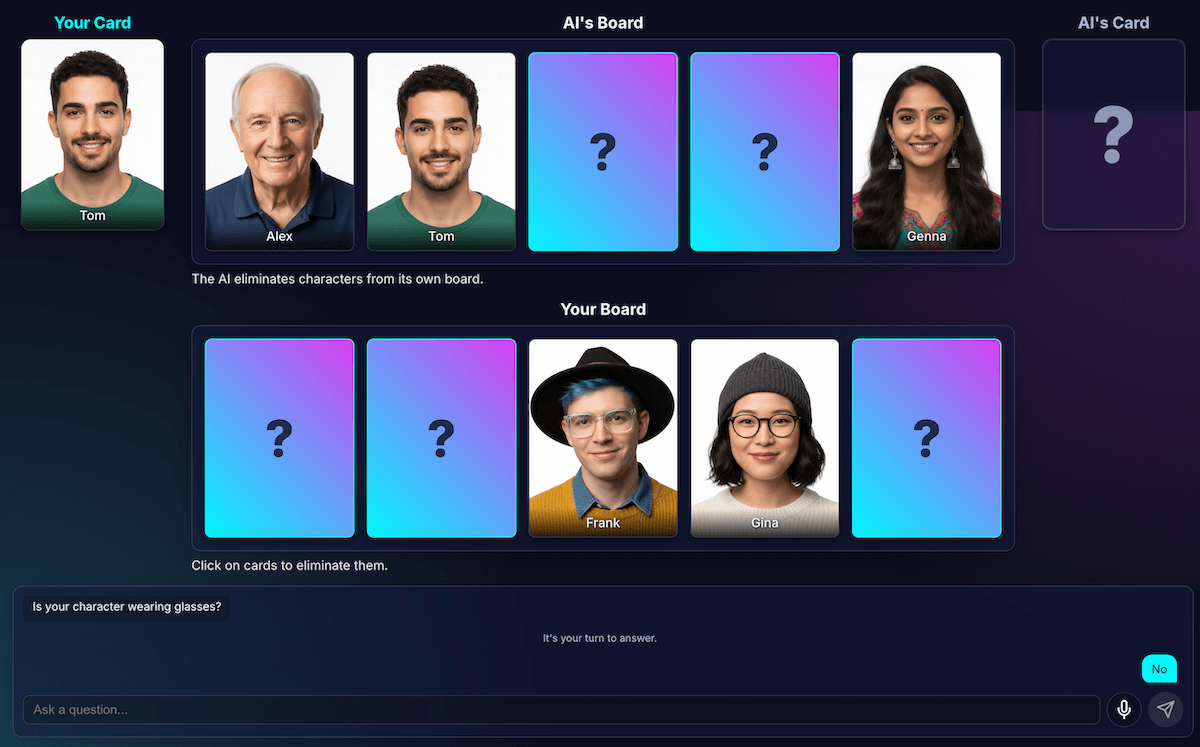
When only two or three very similar characters remained, the model would get
stuck in a loop. It would ask a question about a feature they all shared, such
as, "Does your character wear a hat?"
My code would correctly identify this as a wasted turn, and the AI would
try another, equally broad feature the characters *also* all shared, such as,
"Does your character wear glasses?"
I enhanced the prompt with a new rule: if a question generation attempt fails
*and* there are three or fewer characters left, the strategy changes.
The new instruction is explicit: "Instead of a broad feature, you must ask about
a more specific, unique, or combined visual feature to find a difference."
For example, instead of asking if the character wears a hat, it's prompted to
ask if they're wearing a baseball cap.
This forces the model to look much closer at the images to find the one small
detail that can finally lead to a breakthrough, making its late-game strategy
work a little better, most of the time.
### Give the model amnesia
A language model's greatest strength is its memory. But in this game, its
greatest strength became a weakness. When I started a second game, it would ask
confusing or irrelevant questions. Of course, my smart AI opponent was retaining
the entire chat history from the *previous* game. It was trying to make sense
of two (or even more) games at once.
Instead of reusing the same AI session, I now explicitly
[destroy it](https://developer.chrome.com/docs/ai/prompt-api.md.txt#terminate_a_session) at the end of each game,
essentially giving the AI amnesia.
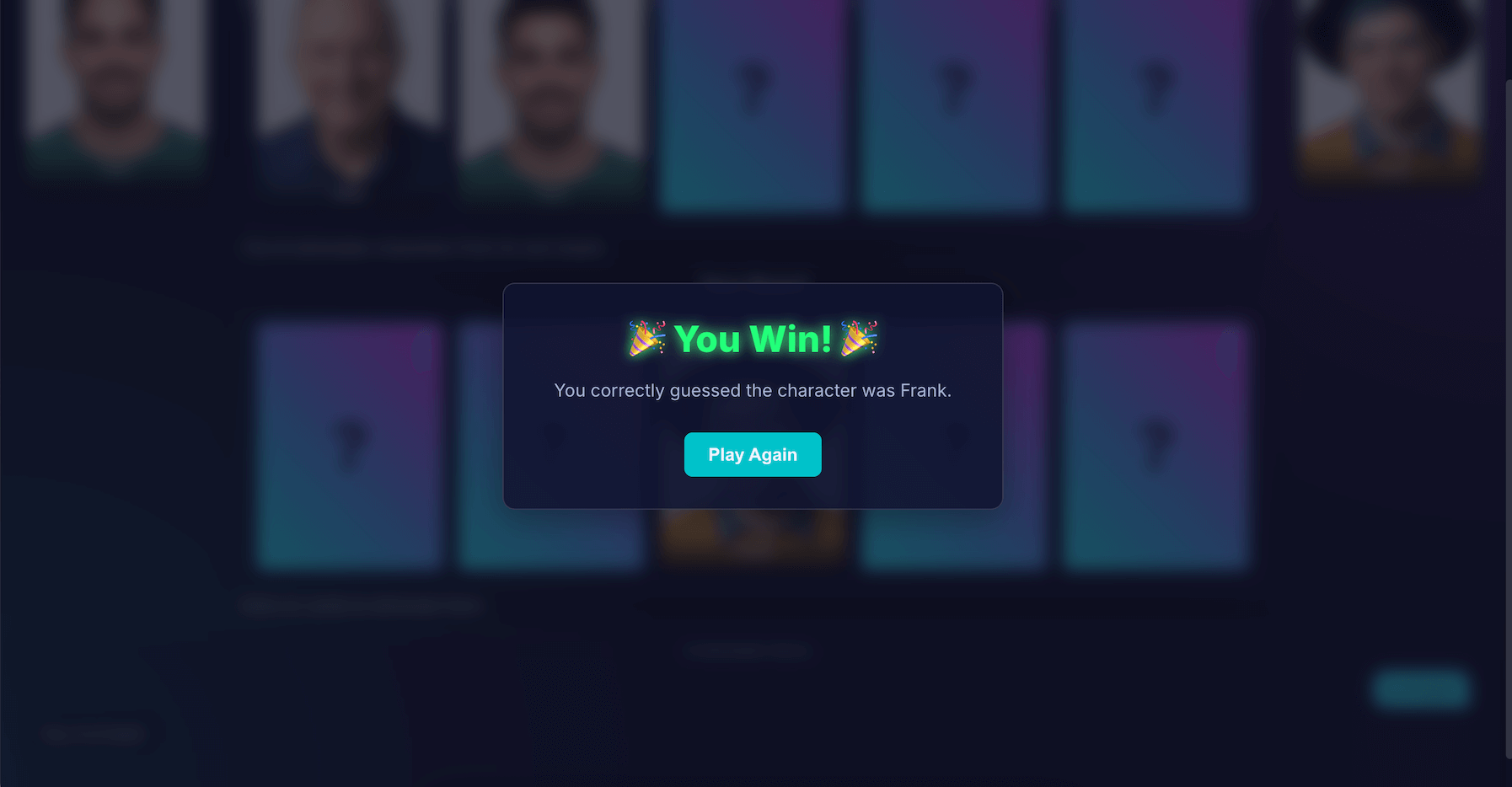
When you click **Play Again** , the `startNewGameSession()` function resets the
board and creates a brand new AI session. This was an interesting lesson in
[managing session state](https://developer.chrome.com/docs/ai/session-management.md.txt) not just in the app, but
within the AI model itself.
## Bells and whistles: Custom games and voice input
To make the experience more engaging, I added two extra features:
1. **Custom characters** : With [`getUserMedia()`](https://developer.mozilla.org/docs/Web/API/MediaDevices/getUserMedia),
players can use their camera to create their own 5-character set. I used
IndexedDB to save the characters, a browser database perfect for storing
binary data like image blobs. When you create a custom set, it's saved to your
browser, and a replay option appears in the main menu.
> [!NOTE]
> **Note:** The model will likely have more challenges interpreting user-generated photos, as they may have varied lighting, backgrounds, and angles. The default photos are consistent, studio-quality portraits.
2. **Voice input** : The [client-side model is multi-modal](https://developer.chrome.com/docs/ai/prompt-api.md.txt#multimodal_capabilities).
It can handle text, images, and also audio. Using the
[MediaRecorder API](https://developer.mozilla.org/docs/Web/API/MediaRecorder) to
capture microphone input, I could feed the resulting audio blob to the model
with a prompt: "Transcribe the following audio...". This adds a fun way to play
(and a fun way to see how it interprets my Flemish accent). I created this
mostly to show the versatility of this new web capability, but truth be told, I
was sick of typing questions over and over again.
## Demo
You can test the game directly here or
[play in a new window](https://brechtdr.github.io/ai-guess-who/) and find the
[source code on GitHub](https://github.com/brechtDR/ai-guess-who).
## Final thoughts
Building "AI Guess Who?" was definitely a challenge. But with a bit of help from
reading docs and some AI to debug AI (yeah... I did that), it turned out to be a
fun experiment. It highlighted the immense potential of running a model in the
browser for creating a private, fast, no-internet-required experience. This is
still an experiment, and sometimes the opponent just doesn't play perfectly.
It's not pixel-perfect or logic-perfect. With generative AI, the results are
model-dependent.
Instead of striving for perfection, I'll aim for improving the outcome.
This project also underscored the constant challenges of prompt engineering.
That prompting really became a huge part of it, and not always the most fun
part. But the most critical lesson I learned was architecting the application to
separate perception from deduction, dividing capabilities of AI and code. Even
with that separation, I found that the AI could still make (to a human) obvious
mistakes, like confusing tattoos for make-up or losing track of whose secret
character was being discussed.
Each time, the solution was to make the prompts even more explicit, adding
instructions that feel obvious to a human but are essential for the model.
Sometimes, the game felt unfair. Occasionally, I felt like the AI "knew"
the secret character ahead of time, even though the code never explicitly shared
that information. This shows a crucial part of human versus machine:
An AI's behavior doesn't just need to be correct; it needs to *feel* fair.
This is why I updated the prompts with blunt instructions, such as, "You do NOT
know which character I have picked," and "No cheating." I learned that when
building AI agents, you should spend time defining limitations, probably even
more than instructions.
The interaction with the model could continue to be improved. By working with a
built-in model, you lose some of the power and reliability of a massive
server-side model, but you gain privacy, speed, and offline capability. For a
game like this, that tradeoff was really worth experimenting with. The future of
client-side AI is getting better by the day, models are getting smaller as well,
and I can't wait to see what we'll be able to build next.