 Sam Dutton [X](https://twitter.com/sw12) [GitHub](https://github.com/samdutton) [Mastodon](https://techhub.social/@samdutton) [Bluesky](https://bsky.app/profile/samdutton.bsky.social) [Homepage](https://samdutton.com)
One of the web's special powers is its composability. Web pages include a
variety of different resources, potentially from multiple origins.
Blink serves as the rendering engine for
[Chromium](https://developer.chrome.com/docs/web-platform/chrome-chromium)-based browsers, including Chrome,
Android WebView, Microsoft Edge, Opera, and Brave.
[Video](https://www.youtube.com/watch?v=CVRLeOX-TGI)
A *rendering engine* is the component of a web browser that transforms HTML, CSS
and JavaScript code---along with images and other resources---into web pages you can
view and interact with.
## How does Blink render a web page?
Blink begins the rendering process by gathering all necessary resources such as
HTML, CSS, JavaScript, videos, and images. To retrieve these resources, Blink
manages interactions with the network stack, in Chromium and the underlying
operating system.
As soon as CSS and HTML is loaded, Blink can transform that code, in the form
of text, into a representation it can work with. This is called *parsing*.
JavaScript also needs to be parsed and then executed.
Once all that's done, Blink begins *rendering*. Rendering is the work of
laying out and displaying web pages that you view and interact with.
The following diagram shows the stages in the pipeline of rendering tasks,
including the components, processes, and resources involved in each. Blink has
a lot of work to do!
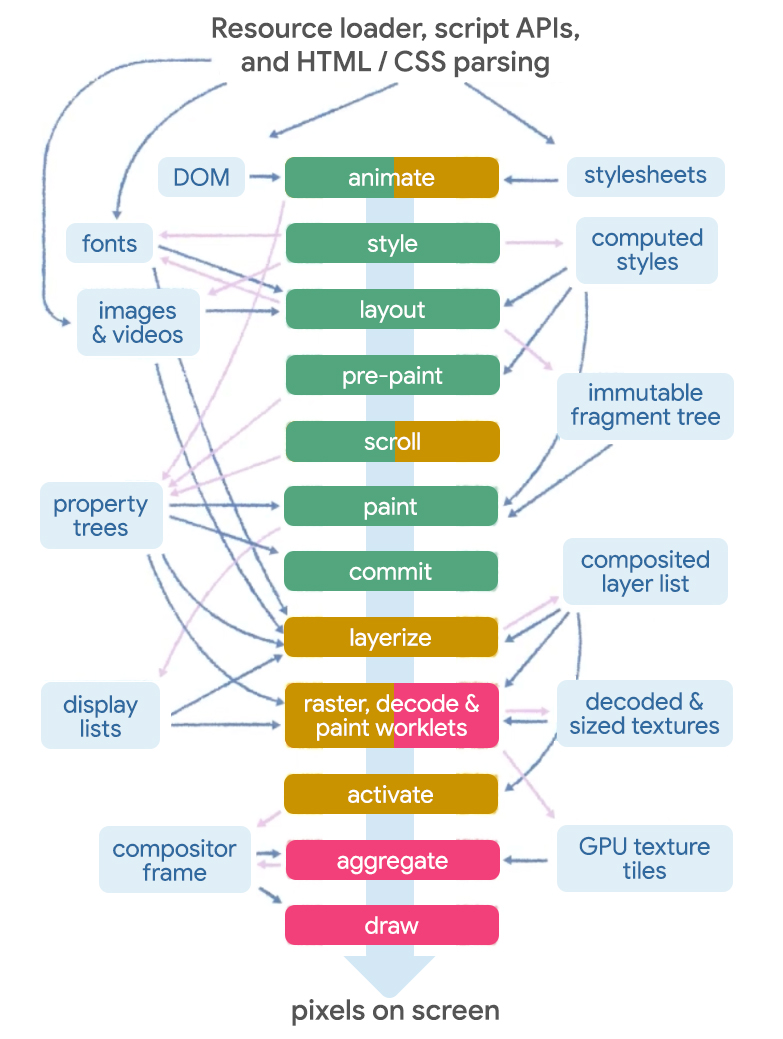 The Blink rendering pipeline has resource loader, scripts APIs, and HTML/CSS parsing. This progresses through multiple stages towards drawing pixels on the screen.
> [!NOTE]
> **Note:** Some stages can be skipped when unnecessary. For example, scrolling can skip layout, pre-paint, and paint.
### Render graphics
Blink uses the open-source [Skia](https://skia.org/) graphics engine to
interact with the underlying graphics hardware of a computer or a mobile
device.
Skia provides common APIs that work across a variety of hardware and software
platforms. It serves as the graphics engine for Google Chrome and many other
products.
Instead of trying to support different operating systems and devices, while
keeping up with platform changes, Skia uses graphics libraries including
[OpenGL](https://www.opengl.org/), [Vulkan](https://www.vulkan.org/), and
[DirectX](https://www.microsoft.com/download/details.aspx?id=35). The
library Skia uses depends on the platform it's running on, such as Android on
mobile or Windows on desktop.
> [!TIP]
> **Tip:** You can learn a lot more about rendering in Chrome from the Chrome University video, [Life of a Pixel](https://www.youtube.com/watch?v=m-J-tbAlFic), and the Chrome Rendering team's article on [RenderingNG](https://developer.chrome.com/articles/renderingng).
### Parse and execute JavaScript
To parse and execute JavaScript and WebAssembly code, Blink uses
[V8](https://v8.dev/), an open-source engine developed by the
[Chromium projects](https://www.chromium.org/chromium-projects/).
> [!IMPORTANT]
> **Key Term:** [*WebAssembly*](https://webassembly.org/), abbreviated as Wasm, is a binary format for code, which can be run even faster than JavaScript.
V8 makes it possible for a developer to use JavaScript or WebAssembly code to
access the capabilities of the underlying browser. For example: to manipulate
the
[Document Object Model](https://developer.mozilla.org/docs/Web/API/Document_Object_Model),
which is the internal representation of a document that Blink builds from HTML
code.
[V8](https://v8.dev/) processes JavaScript in accordance with the JavaScript
standard, known as [ECMAScript](https://tc39.es/ecma262/).
## Render to standards
V8 processes JavaScript in accordance with the JavaScript standard, known as
ECMAScript. Rendering engines like Blink are designed to interoperably implement
web standards. Web standards allow developers and end-users to be confident that
web pages work well, no matter what browser they're using.
Blink follows the specifications for browser and language features defined in
web standards including [HTML](https://html.spec.whatwg.org/),
[CSS](https://www.w3.org/Style/CSS/specs.en.html) and
[DOM](https://dom.spec.whatwg.org/).
### HTML and the DOM
The [HTML Standard](https://html.spec.whatwg.org/) defines how browser
engineers should implement HTML elements. The specification for each HTML
element includes a section that defines the
[DOM interface](https://developer.mozilla.org/docs/Web/API/Document_Object_Model/Introduction)
for the element. This details how JavaScript should be implemented by the
browser, to allow interaction with the element in a way that's standardized
across devices and platforms.
The interface specification is written in
[WebIDL](https://developer.mozilla.org/docs/Glossary/WebIDL): Web
Interface Definition Language. The following WebIDL is part of the HTML
standard's definition of the [`HTMLImageElement`](https://html.spec.whatwg.org/#the-img-element).
[Exposed=Window,
LegacyFactoryFunction=Image(optional unsigned long width, optional unsigned
long height)]
interface HTMLImageElement : HTMLElement {
[HTMLConstructor] constructor();
[CEReactions] attribute DOMString alt;
[CEReactions] attribute USVString src;
[CEReactions] attribute USVString srcset;
[CEReactions] attribute DOMString sizes;
[CEReactions] attribute DOMString? crossOrigin;
[CEReactions] attribute DOMString useMap;
[CEReactions] attribute boolean isMap;
[CEReactions] attribute unsigned long width;
[CEReactions] attribute unsigned long height;
readonly attribute unsigned long naturalWidth;
readonly attribute unsigned long naturalHeight;
readonly attribute boolean complete;
readonly attribute USVString currentSrc;
[CEReactions] attribute DOMString referrerPolicy;
[CEReactions] attribute DOMString decoding;
[CEReactions] attribute DOMString loading;
[CEReactions] attribute DOMString fetchPriority;
Promise decode();
// also has obsolete members
};
WebIDL is a standardized way of describing functional interfaces, like those
that make up most web standards.
To implement a feature, engineers put that WebIDL code in a file, and this
automatically gets transformed by Blink to provide an interface to developers
for that feature. Once the interface is defined with WebIDL, engineers can build the
implementations that respond to interface calls.
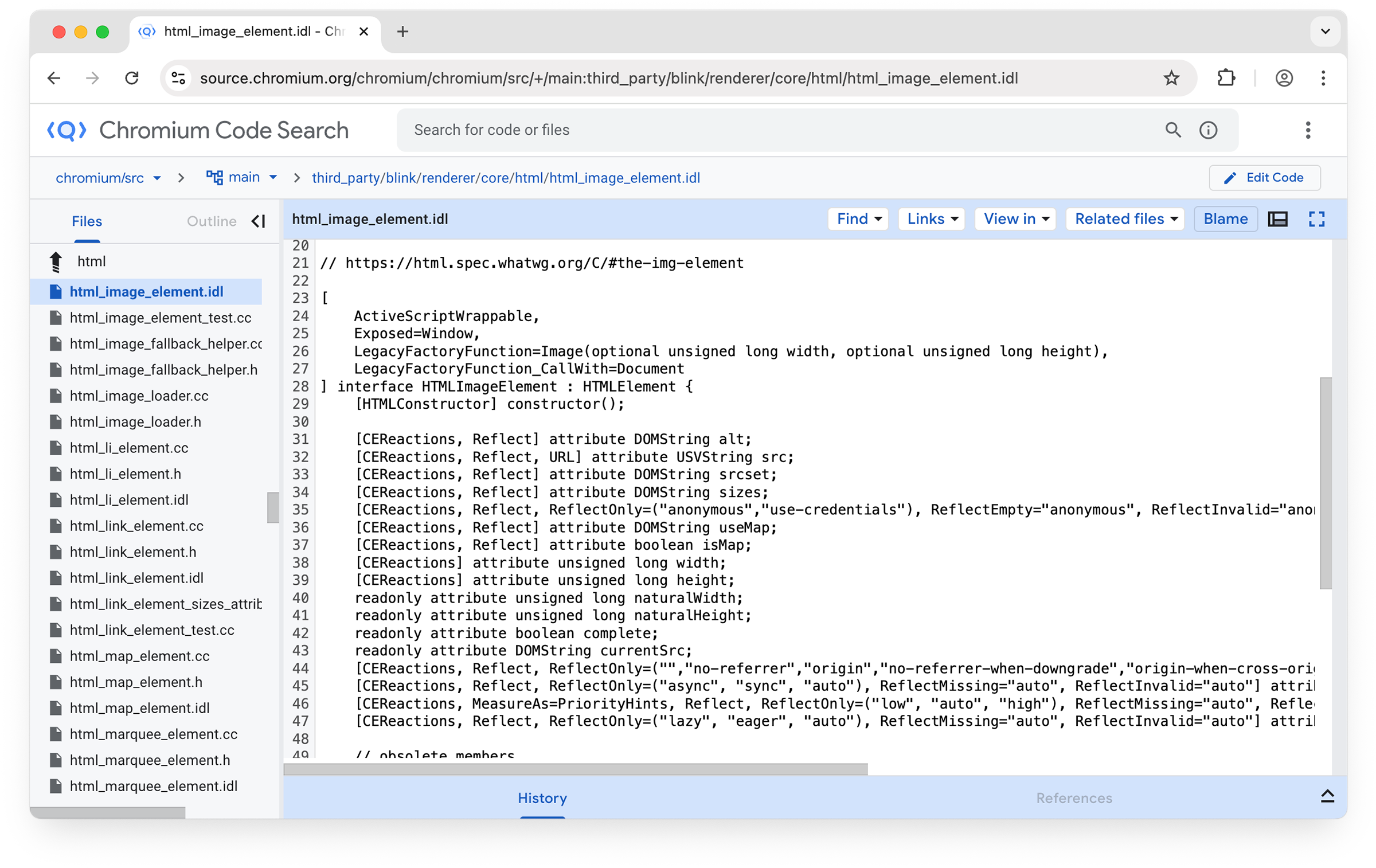 `html_image_element.idl` in Chromium source.
## Third-party libraries
Blink uses multiple third-party libraries. For example,
[WebGL](https://www.khronos.org/webgl/wiki/Getting_Started) is used to render
interactive 2D and 3D graphics.
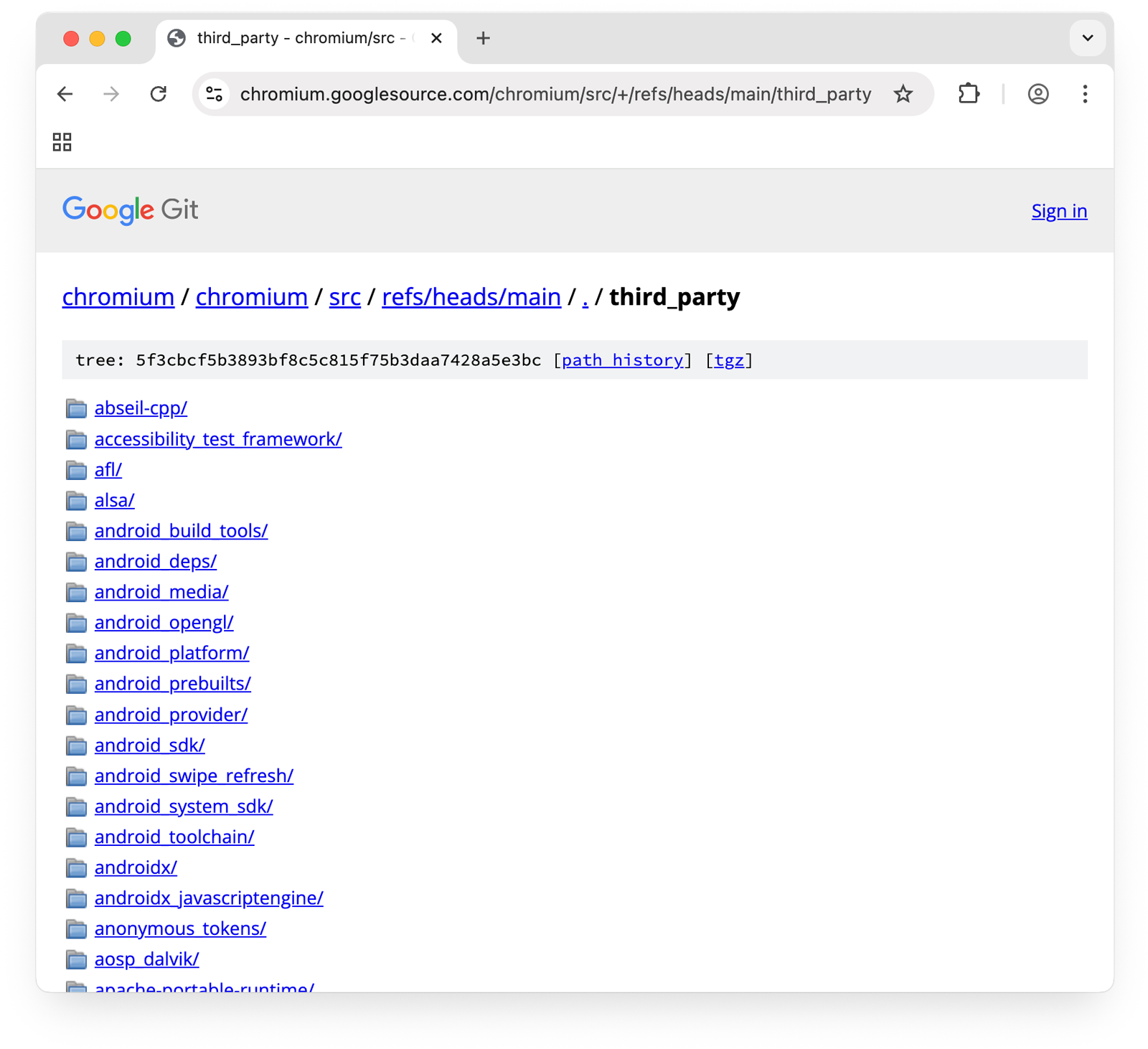 Third-party libraries in Chromium source---including WebGL used by Blink.
Libraries such as WebGL are highly optimized and carefully tested. They give Blink
access to important features and functionality, without needing to reinvent the
wheel. The WebGL IDL is defined, and the Blink engineers connect that web
interface with code and libraries on the backend that are used to render many
different elements .
If you want to see WebGL in action, check out the fractal rendering app
[Fractious](https://rowan.fyi/posts/fractious/), which uses WebGL.
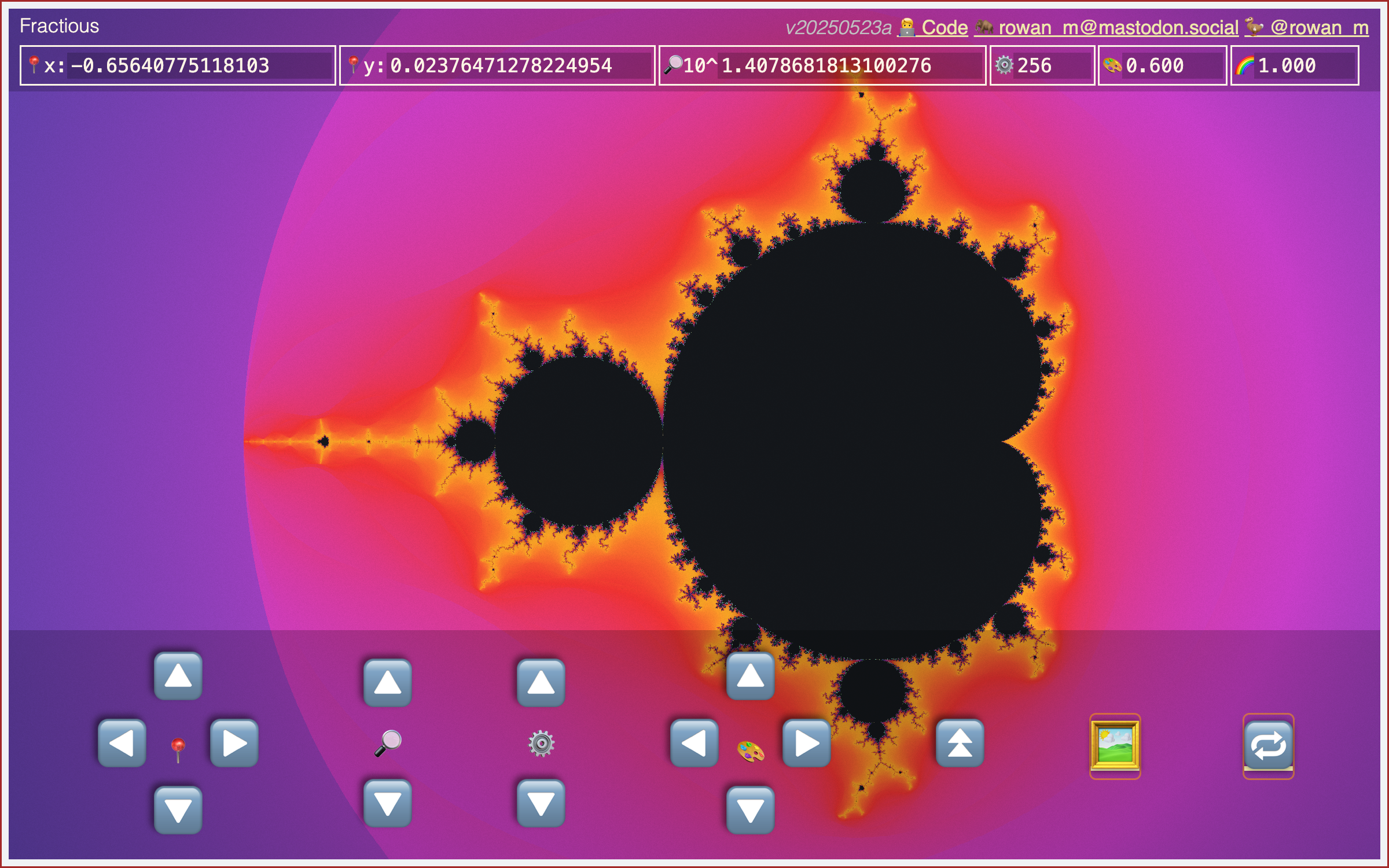 Visit the [Fractious demo](https://rowan.fyi/posts/fractious/).
## Cross-platform rendering
You might be wondering, does Chrome use Blink everywhere, on all operating
systems and devices?
On iOS and iPadOS, Chrome uses [WebKit](https://webkit.org/) as its rendering
engine. WebKit was actually a fork of another project,
[KDE](https://en.wikipedia.org/wiki/KDE), which goes all the way back to 1998.
In fact, Safari and Chromium were both initially based on WebKit. Today, Safari
and all browsers in the Apple ecosystem use WebKit, according to Apple's
[App Store requirements](https://developer.apple.com/app-store/review/guidelines/#:%7E:text=2.5.6).
Over time, the [Chromium projects](https://www.chromium.org/chromium-projects/)
developed a different multi-process software architecture, as maintaining two
separate architectures in one codebase was becoming problematic.
In addition, Chromium wanted to use features that weren't being built into
WebKit. So, starting from version 28, Chromium engineers decided to begin work
on their own rendering engine. They forked their code from WebKit, and they
called it Blink. Rumor has it that Blink was named after the (not so) beloved
`