
Published: April 08, 2026
Until now, appealing a policy enforcement meant navigating standalone webforms on the "One Stop Support" page, manually entering Extension IDs, digging up violation codes, and waiting on email updates with no visibility into where things stood. That changes today. We're making it possible to create an appeal directly from the Chrome Web Store Developer Dashboard.
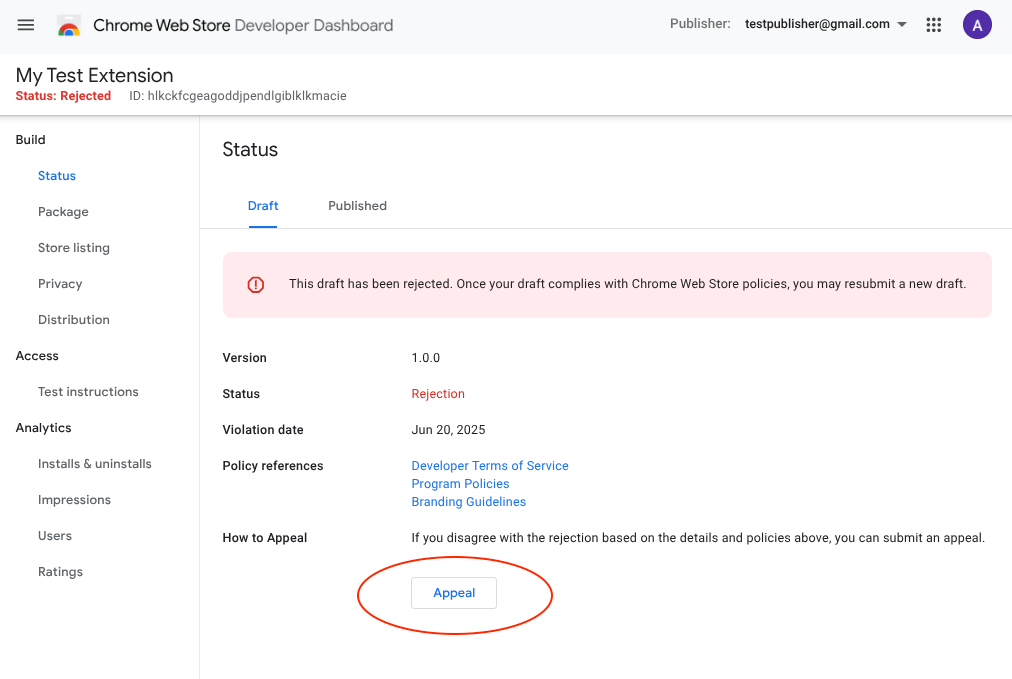
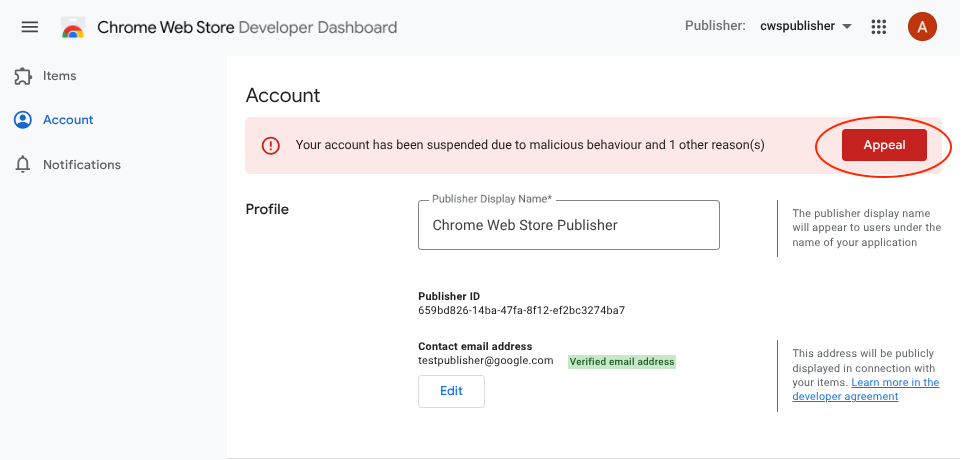
What's new in the dashboard
By integrating appeals directly into the dashboard, we eliminate most of the manual steps that slowed you down:
- Pre-populated data. When you initiate an appeal, a new appeal dialog opens that automatically adds Extension ID, violation details, and your developer contact info in the background. No more hunting for reference codes. After creating an appeal, subsequent communication will take place over email as before.
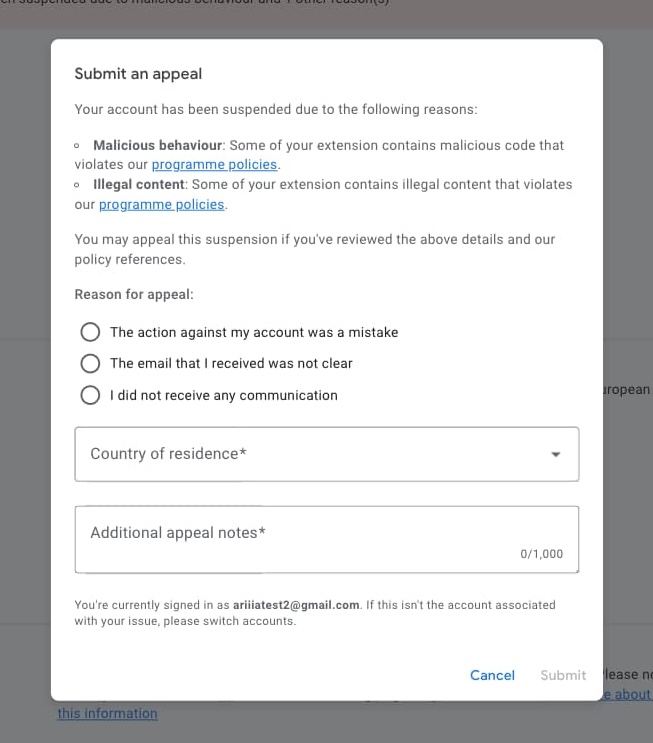
- Automatic ownership validation. Because you're signed in, the system verifies you have the right to appeal for that specific item or account. No more account-mismatch errors.
Smarter submission logic
We're also introducing guardrails that help resolve issues in the right order:
- Account-first appeals. If your publisher account is suspended, item-level appeal buttons will be disabled. Account-level issues are often the root cause, so you'll need to resolve or appeal your account suspension before filing item-level appeals.
- Duplicate appeal prevention. If an active appeal already exists for a moderation event the system blocks a duplicate submission. There's one exception: trader verification appeals are handled separately and still need to be filed using the One Stop Support form.
Why this matters
By linking every appeal directly to a specific moderation event in our database, our Trust & Safety reviewers get full context on first look resulting in more accurate decisions, faster turnarounds, and less back-and-forth for you.