

Published: October 20, 2026
Chrome 155 and Chrome 156 shipped to stable in October, bringing a fresh set of debugging and authoring capabilities to your browser in November: CSS style inspection in DevTools for agents, an interactive position-area editor for CSS anchor positioning in Elements, and Web Install manifest and ad provenance diagnostics in Application. You can also detect dead context variables in Memory, inspect Early Hints preload warnings and persistent overrides in Network, and navigate timelines more smoothly in Performance.
DevTools for agents
The Chrome DevTools MCP server adds CSS style inspection, configuration file support, and chunked trace parsing for coding agents:
- CSS style inspection: Inspect computed and matched styles with the
get_css_stylestool, which supports pagination (pageSizeandpageIdx) and formats matched rules, inherited rules, pseudo-elements,@keyframes, and@rules (@position-try,@property, and@function). - Configuration file and path controls: Manage server flags with a dedicated configuration file, configure custom file system roots, and use
--allow-unrestricted-pathsby default in the CLI. - Chunked trace buffer parsing: Parse large performance recordings with a chunked trace buffer parser and a 1.2 GB default trace buffer. DevTools also scopes trace engine instances per parse to prevent memory leaks.
- Dialog handling and console persistence: Handle JavaScript dialogs triggered during input tool actions automatically, and preserve console message history across same-document navigations.
- Menu update: Click Get Chrome DevTools for agents in the DevTools main menu to open the setup instructions.
Learn more in the chrome-devtools-mcp repository.
Elements: Visual position-area editor, implicit anchor selection, and CSS authoring updates
The Elements panel introduces visual tooling for CSS anchor positioning and expands CSS inspection:
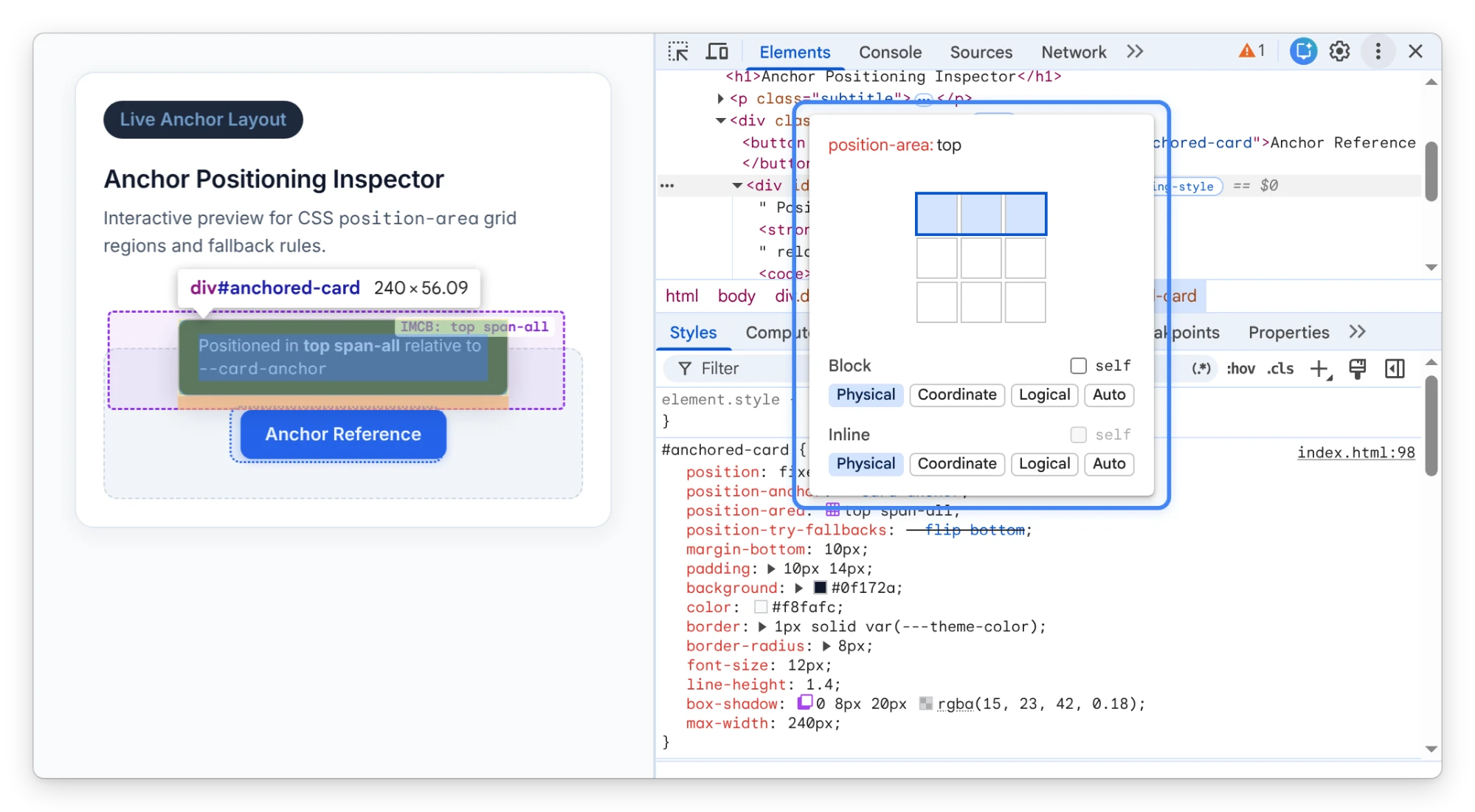
- Visual
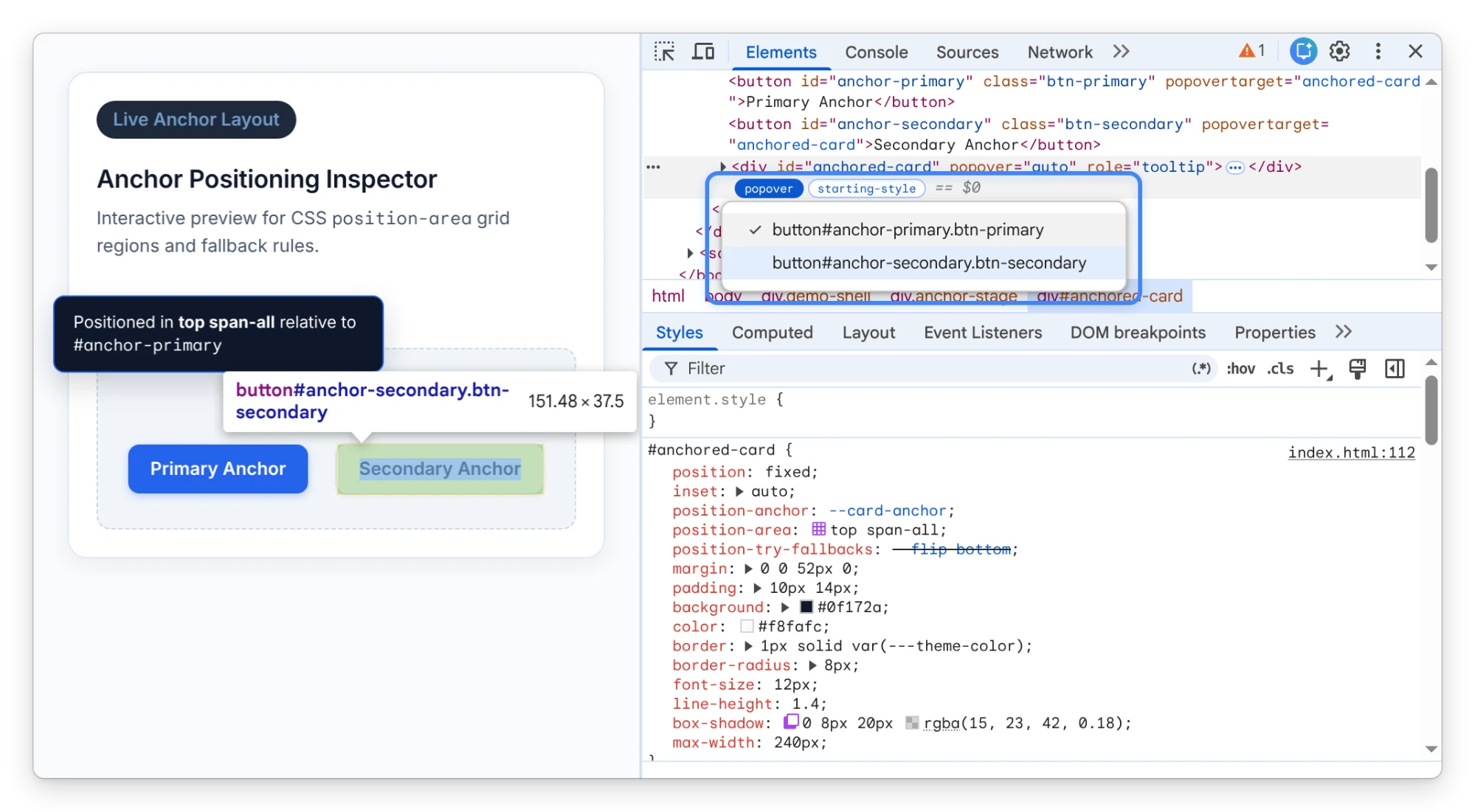
position-areaeditor: Click the inline swatch next to aposition-areadeclaration in the Styles tab to visually select anchor grid regions, configure axes simultaneously or individually, toggle theselfkeyword, and shorten axis-less keywords. - Implicit anchor selection on popover adorners: Right-click a popover adorner in the DOM tree when an element has multiple implicit anchors to inspect and jump to any associated anchor element.
- Anchor positioning box overlay: Inspect the inset-modified containing block (IMCB) margin, padding, border, and content boxes directly on the viewport overlay when debugging anchor-positioned elements.
wrap-reversein the Flexbox editor: Toggleflex-wrap: wrap-reversedirectly from the visual Flexbox editor in the Styles tab.- Inactive CSS styles for
@starting-styleand inherited rules: Inspect inactive@starting-stylerules andInherited fromsections with preserved manual expand and collapse states across updates. - Multi-dash custom properties and class autocomplete: Inspect and edit CSS custom properties that begin with three or more dashes (such as
---theme-color), and filter out already-applied classes from Add New Class autocomplete suggestions.
Chromium issues: 553335561, 438724570, 413061413, 397184392, 539424116, 533783988
Application: Web Install manifest diagnostics, ad provenance, and storage table updates
The Application and Issues panels add diagnostics for Web Install manifests, ad script provenance, and storage inspection:
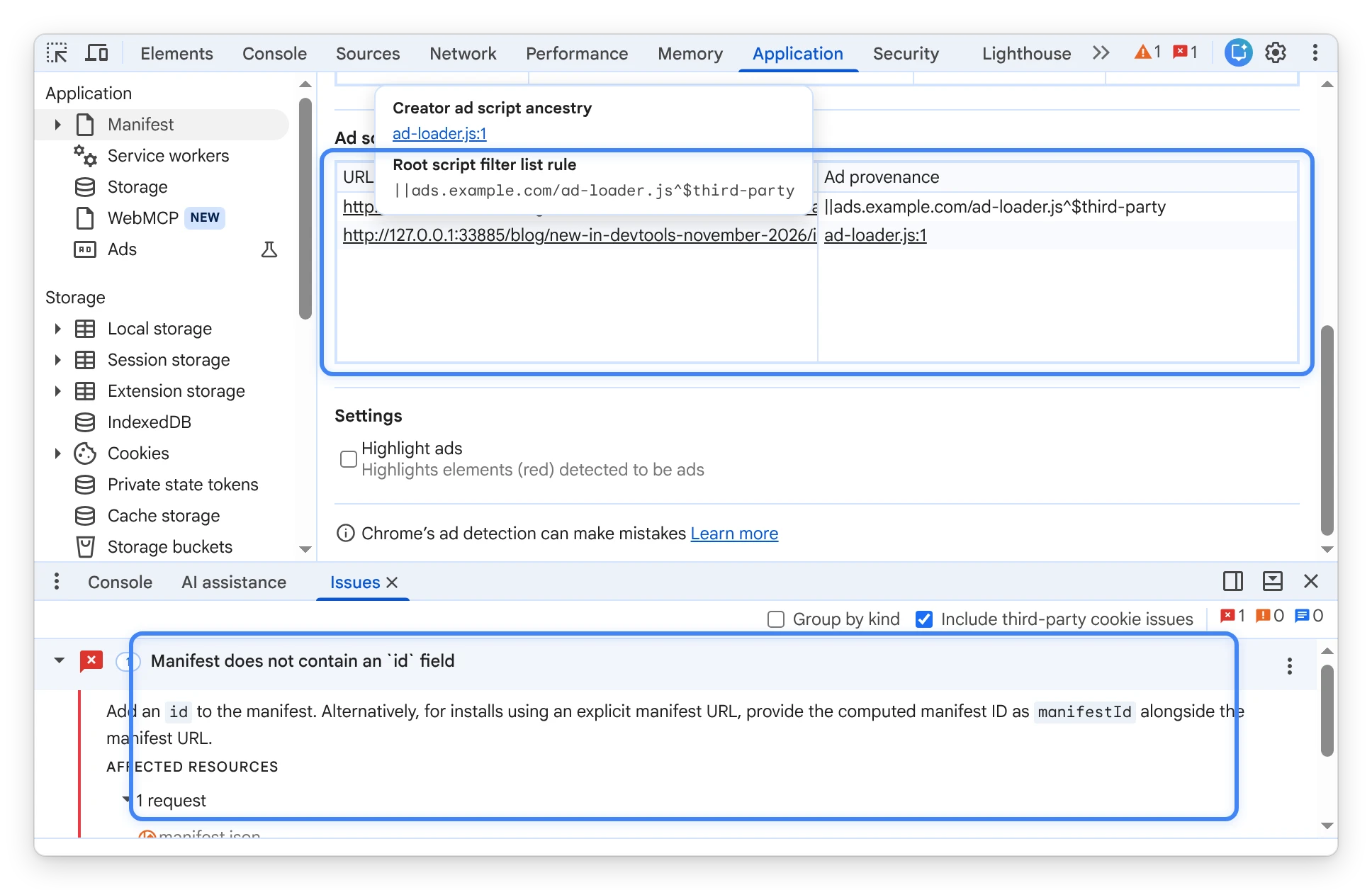
- Web Install manifest diagnostics: Inspect Web Install (
navigator.installand<install>) manifest errors in the Issues panel—covering fetch failures, syntax errors, invalidstart_urlvalues, missing names or IDs, and missing manifests—with direct links to the affected manifest file. - Ad provenance column and metric documentation: Check the new Ad provenance column in the Application panel's Ads section to see whether an ad script matched an ancestor script chain or a filter list rule, alongside documentation tooltips and Learn more links on ad metrics.
- IndexedDB and Cookies table ergonomics: Expand nested objects in the IndexedDB data grid with dynamic row heights that preserve your scroll position, and delete selected rows in the Cookies table using the keyboard or context menu.
Chromium issues: 333795265, 553428200, 514957134, 555304817, 555304814, 562142155
Network: Early Hints preload warnings and persistent overrides
The Network panel refines Early Hints diagnostics, local overrides, and custom header workflows:
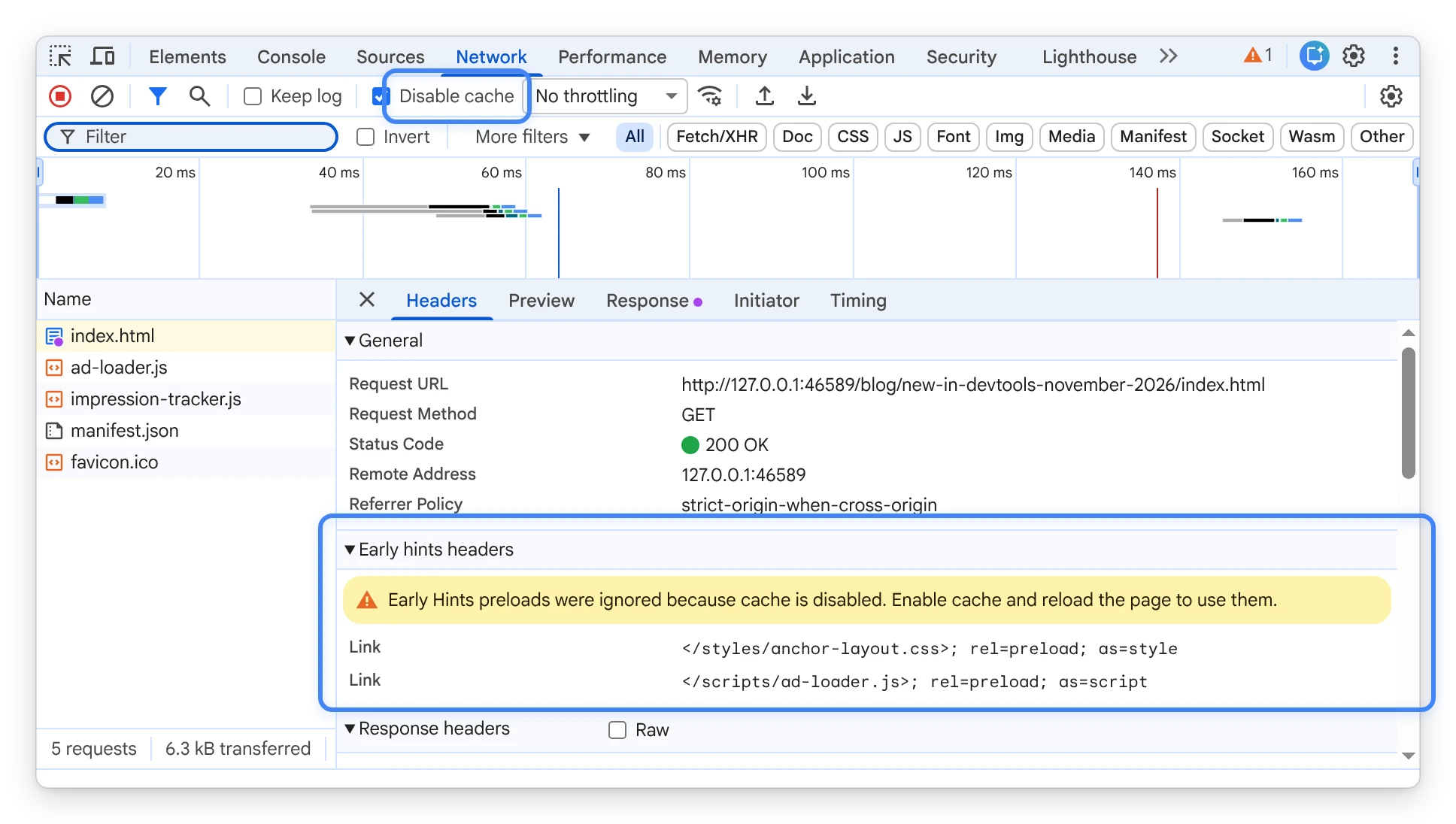
- Early Hints preload warning when cache is disabled: View a warning in the Early Hints headers section when
103 Early Hintsresponses include preload links while Disable cache is active, explaining why Chrome ignores those preloads. - Persistent local overrides and custom header columns: Serve local response body overrides across page navigations, retain custom request and response header column configurations and sort order across reloads, and copy truncated raw request payloads from the context menu.
Chromium issues: 548701038, 559925510, 563542902, 556269542, 377410082
Memory: Dead context field detection in heap snapshots
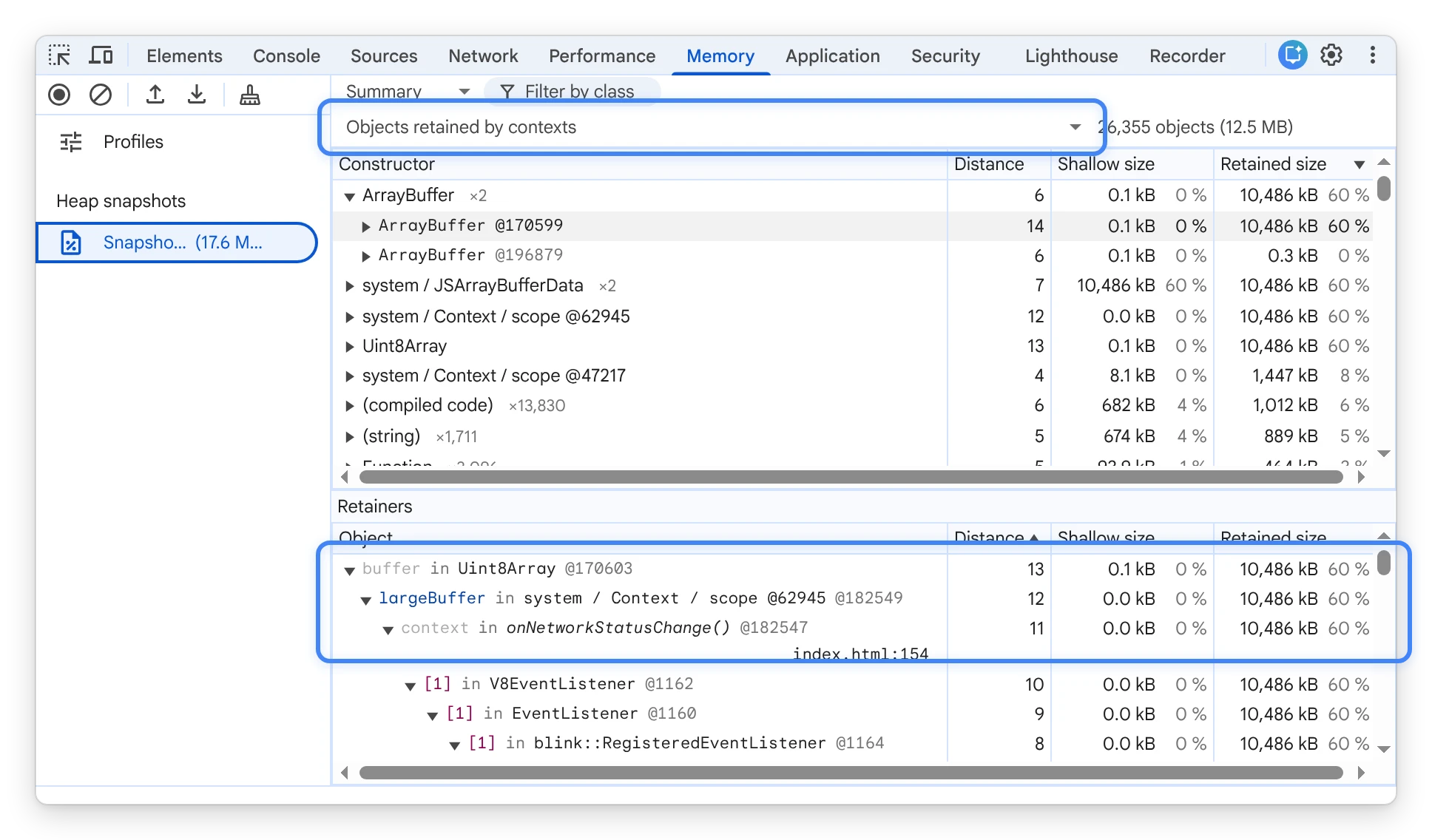
The Memory panel now detects unused closure variables that remain retained in V8 execution contexts. DevTools parses V8 scope metadata embedded in heap snapshots to correlate closures with shared Context objects. It then highlights dead context fields kept alive by sibling long-lived closures when no live closure accesses them, sorted by memory impact.
Chromium issues: 497855658
Performance: Smoother timeline navigation and preserved call tree state
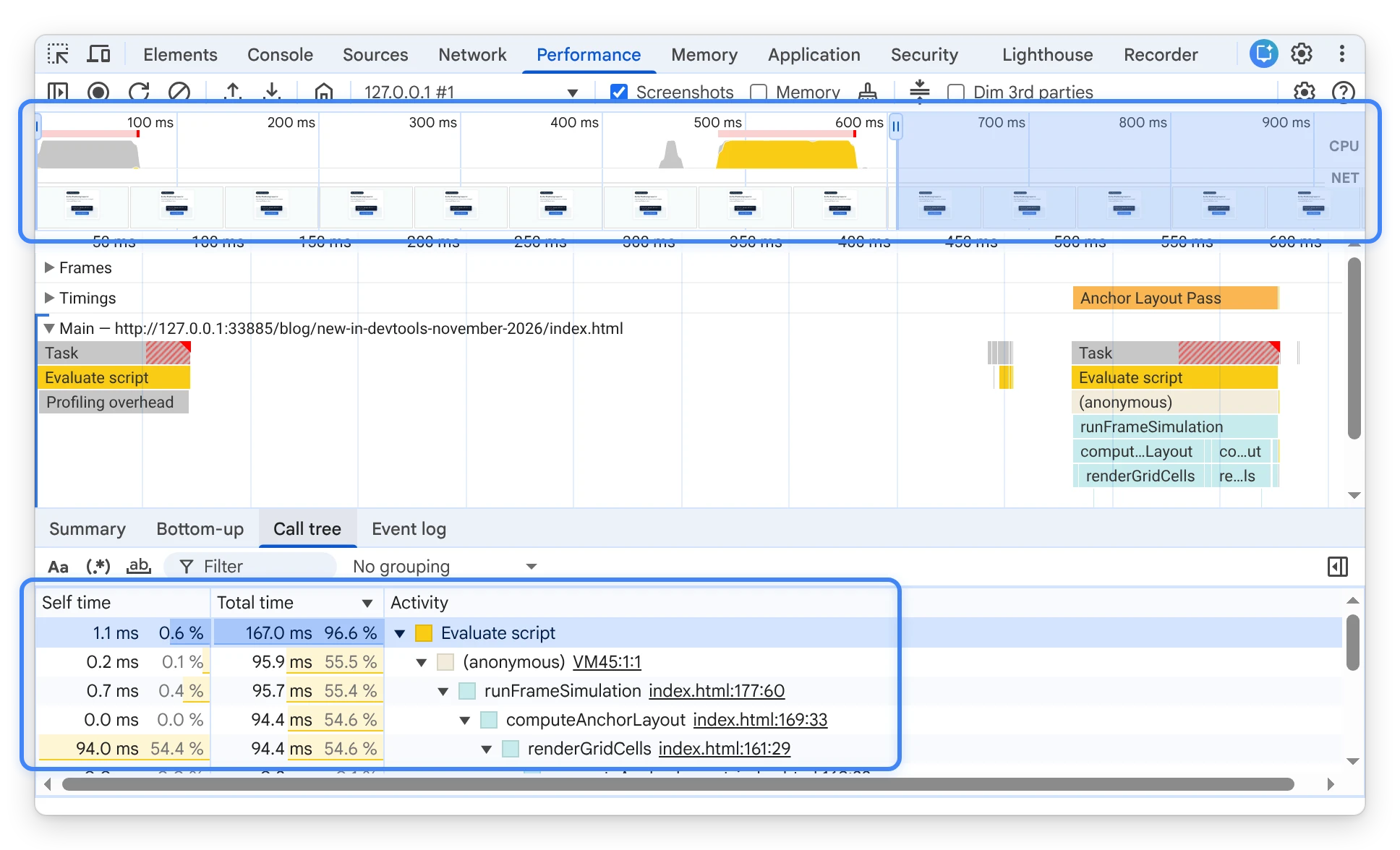
The Performance panel delivers more responsive flame chart navigation and preserves your analysis context across panels:
- Smoother timeline navigation: Zooming, panning, and dragging the timeline minimap no longer lags.
- Preserved Call tree and Bottom-up state: Switch between DevTools panels without losing your expanded nodes, selection, or scroll position in the Call tree and Bottom-up tabs.
Chromium issues: 553831653, 561396590
Other highlights
Chrome 155 and Chrome 156 also include the following improvements across DevTools panels:
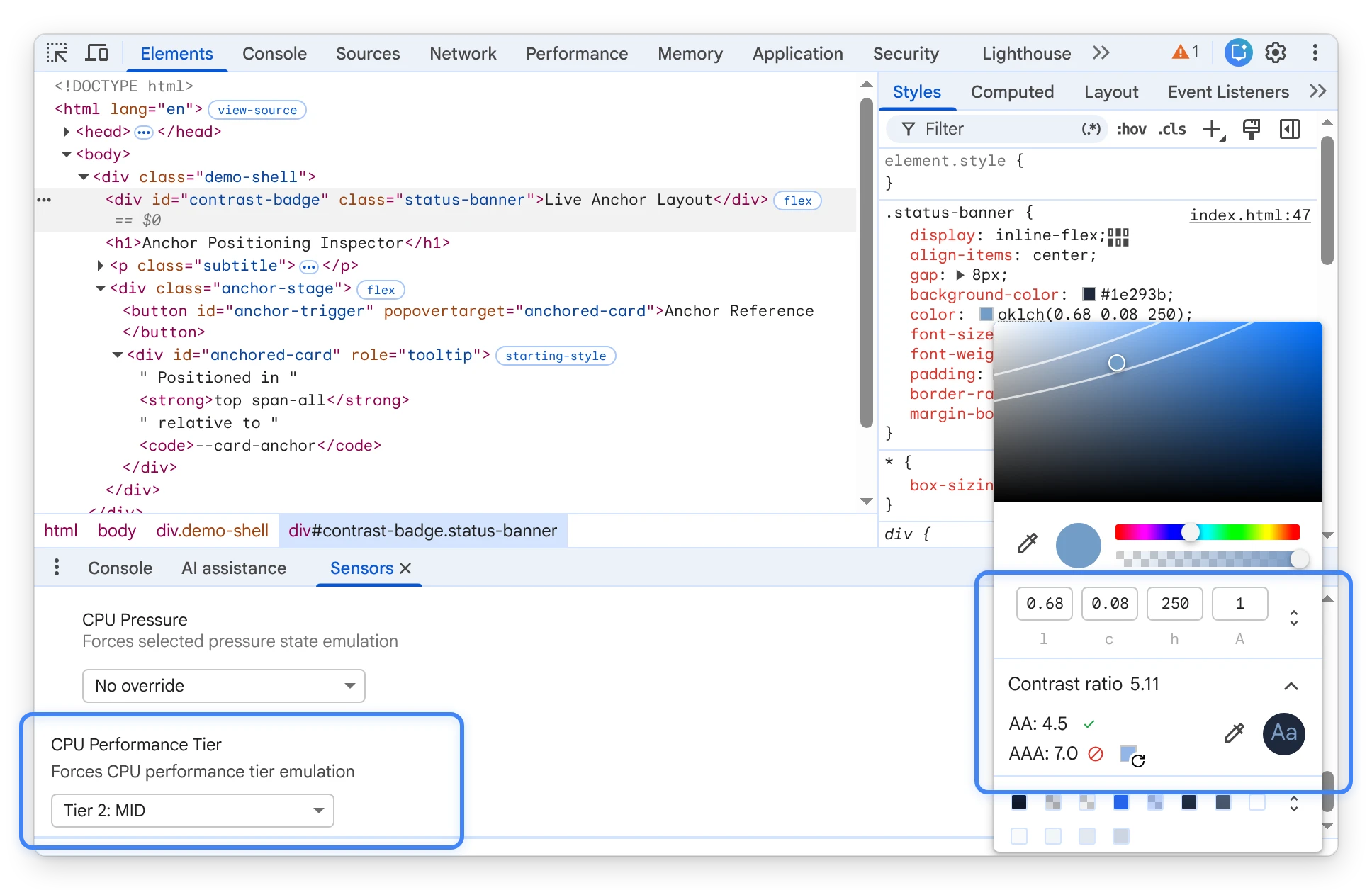
- Sensors: Override
navigator.cpuPerformancedirectly from the new CPU Performance Tier control in the Sensors panel, or let it reflect active CPU throttling presets. (Chromium issues: 449760252, 526856234, 526857820) - Device Mode: Retain your scale and auto-adjust zoom preferences per emulated device and persist the
Save-Dataoverride when toggling the device toolbar. (Chromium issues: 561306841, 555160483) - Color Picker: View APCA contrast color suggestions for light text on dark backgrounds and convert out-of-gamut colors to
oklab()andoklch()withoutNaNvalues. (Chromium issues: 560325669, 558821258) - Accessibility: Identify active regular expression filter toggles with a non-color indicator dot, hear font property names announced by screen readers in CSS Overview, and navigate with improved keyboard focus rings and High Contrast visibility across panels. (Chromium issues: 556764882, 555848535, 555599825, 553804654)
Chromium issues: 449760252, 526856234, 526857820, 561306841, 555160483, 560325669, 558821258, 556764882, 555848535, 555599825, 553804654