


Published: July 22, 2026
As part of our ongoing commitment to improving user experience, we're making some changes to address notification prompt fatigue when browsing the web. Chrome on Android is shifting to a new notification user experience from Chrome 155. This article shows what the change looks like for users, and explains the modification you may need to make to the code to take advantage of this new user experience.
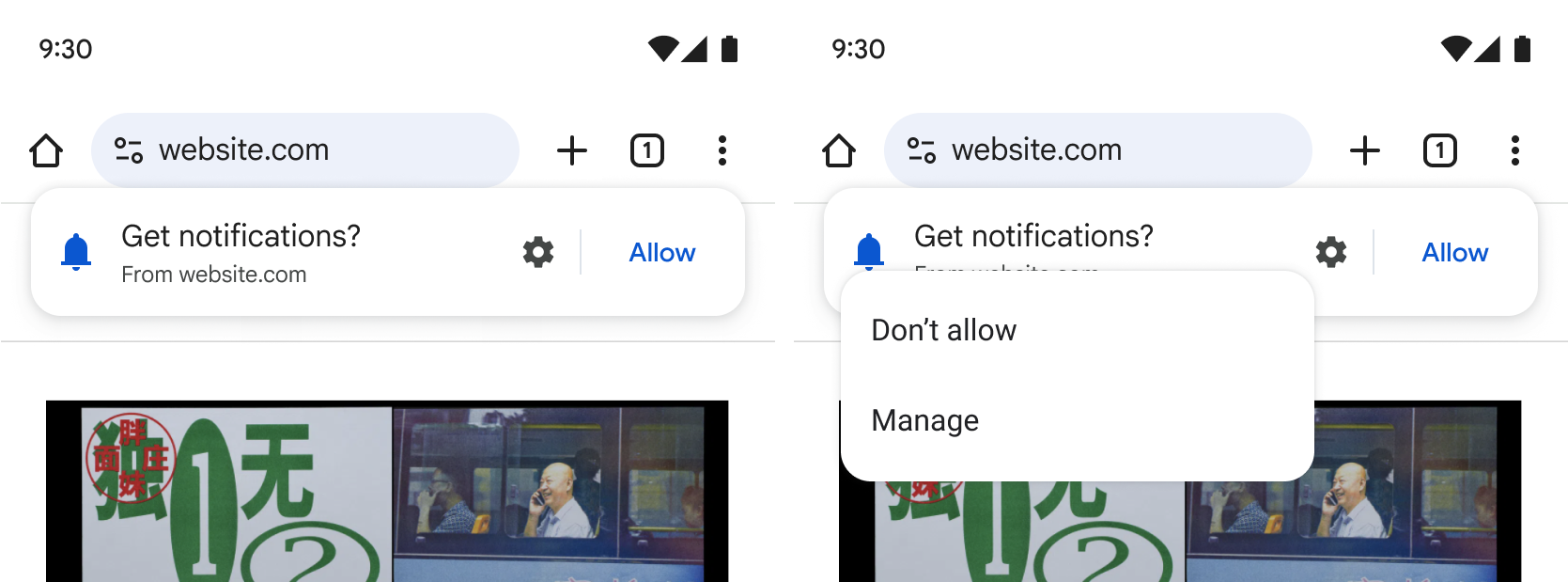
Our research and experiments indicate that this less intrusive Notification UI has similar comprehension to the previous version, but significantly lower user friction. This lets users make an informed choice about subscribing to site notifications without disrupting their journey.
Additional entrypoint in Site Controls
To allow users the flexibility to subscribe anytime, we are introducing a notification subscription entry point built directly into Chrome's Site Controls UI. This will be available after a site has first prompted the user for notifications.
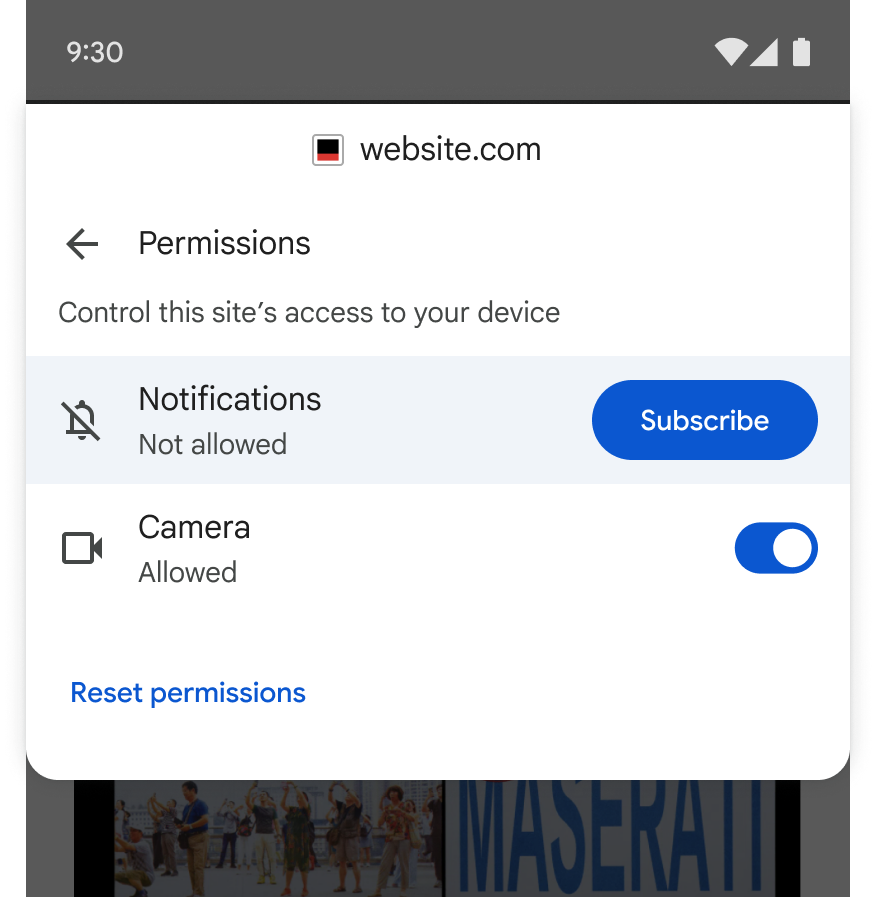
If a user does not make a decision when the site first prompts them, they can subscribe to notifications at any later point in their journey.
Potential implementation changes for sites
The notification permission request will time out when the non-blocking prompt expires even if the user did not take any decision. Therefore, code that checks for permission granted, such as in the following example, needs to be modified.
// Request notification permission and subscribe if granted.
Notification.requestPermission().then((permission) => {
  // This will run with permission='default' if the non-blocking
  // permission prompt times out.
  if (permission === 'granted') {
    subscribeToPushNotifications();
  }
});
To receive successful notification subscriptions when users opt-in with Site Controls, you should also monitor modifications to the permission state.
navigator.permissions.query({ name: 'notifications' })
  .then(permissionStatus => {
    permissionStatus.onchange = () => {
      if (permissionStatus.state === 'granted') {
        subscribeToPushNotifications();
      }
    };
  });
Developer best practices: Contextual prompting
Asking for notification permissions the moment a page loads can create immediate friction and detract from the user experience on the site. Instead, we recommend sites tie prompts to relevant context. This can help users understand the value in allowing notifications from a site. Here are some example scenarios:
- E-commerce: Offering delivery updates right after they place an order.
- Publishing: Suggesting topic alerts after they read several related news articles.
- Travel: Asking if they want price-change alerts after searching for specific flights.