

Published: May 26, 2026
This post is a write-up of the talk given at Google I/O 2026 by Thomas Steiner.
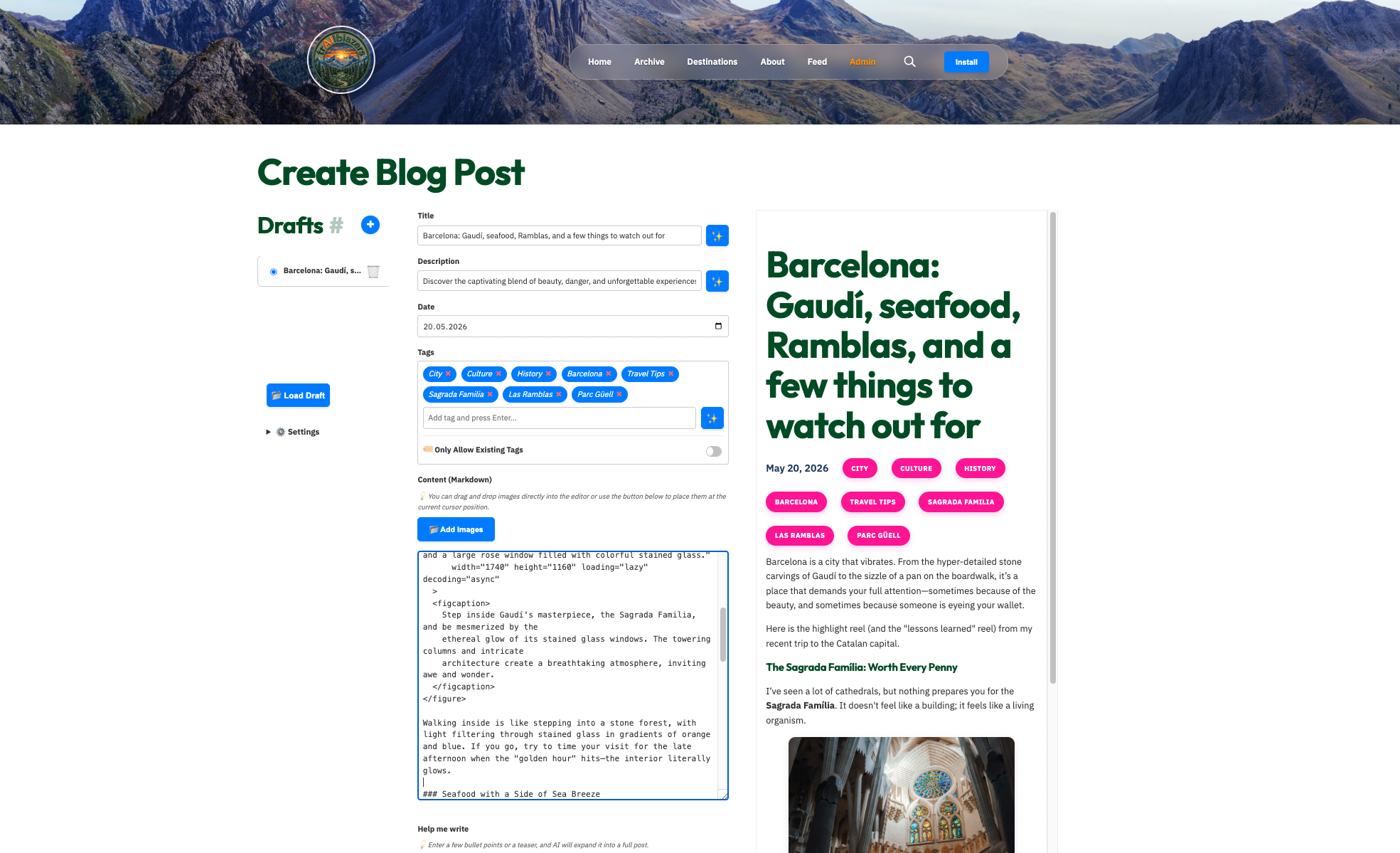
Imagine building a travel blog where the blog post editor doesn't just store the text, but where it actively supports you when writing. Meet Maya and Ashok, the creators of trAIlblazers. They use built-in AI in Chrome. By running models directly on the user's device, developers bypass expensive cloud costs and latency while keeping sensitive data local.
We've collaborated with Build Awesome (formerly known as Eleventy) to release a blog template with all the AI features listed in the talk.
Why built-in AI?
- Cost-efficient: No cloud inference cost, all computation happens on users' supporting devices.
- Privacy first: Sensitive data never leaves the browser.
- Offline functionality: Once the model is downloaded, AI features work without an internet connection.
- Performance: Hardware acceleration allows on-device models to rival (and sometimes beat) cloud speeds.
- Hybrid inference: Using polyfills and tools like Firebase AI Logic, you can fall back to the cloud on unsupported devices (like mobile) while staying native on desktop.
AI features for modern web apps
The Summarizer API
The trAIlblazers editor uses the Summarizer API to generate headlines and SEO-friendly meta descriptions automatically.
Example: Generate a headline
const blogPost = document.querySelector('.article-body').innerText;
const summarizer = await Summarizer.create({
  type: 'headline',
  sharedContext: 'Write headlines that make people want to read the blog post',
});

for await (const chunk of summarizer.summarizeStreaming(blogPost)) {
  headline.append(chunk);
}
The Prompt API (with structured output)
Need specific data? By using JSON Schema with the Prompt API, you can make the AI return predictable formats. The trAIlblazers team uses this for the following:
- Tag Generation: Suggest categories like "Adventure" or "Beach" from a predefined list.
- Comment Moderation: Classify comments as "Safe" or "Harmful" before they are published.
Media accessibility
The editor automates the "hard parts" of Markdown. When you drop an image, the Prompt API (with multimodal input) analyzes the pixels to generate accessible alt-text and informative captions.
Writing and rewriting
With the Writer and Rewriter APIs, users can expand bullet points into complete paragraphs and change the tone of a paragraph to be "more casual" or "shorter" with a single click.
Seamless translation
The Translator API allows creators to draft content in English and instantly translate it for Spanish or Japanese readers, which native speakers can then refine.
Real-world success stories
Many partners are already shipping these APIs in production. Notable examples include the following:
- Drupal: Uses the Summarizer API for SEO tag generation within CKEditor.
- Yahoo! Japan: Uses the Prompt API for community comment moderation.
- Trip.com: Helps shoppers navigate complex flight booking options with AI overviews.
Resources from the talk
Ready to build your own "trAIlblazers" experience? Check out these resources:
- Starter template: Build Awesome starter-extended-blog (Includes all AI features mentioned in the talk.)
- Documentation: Built-in AI on Chrome for Developers
- TypeScript support: Install
@types/dom-chromium-aion npm. - Google I/O 2025 talk: Practical built-in AI with Gemini Nano in Chrome