

Published: April 28, 2026
Building a successful extension is rarely a solo mission—it's a team sport. Whether you're a developer pushing updates, a QA tester managing the Trusted Tester pool, or an analyst, tracking your extension's latest metrics, everyone plays an important part to operate a successful extension or a theme.
Today, we are improving this cross-functional collaboration with the introduction of expanded member roles and permissions. We are evolving the current role setup into four distinct roles with varying degrees of permissions. We are also making it easier to add new members to your publisher account. Going forward, new members can be added to an existing publisher account without having to go through the full developer registration flow and at no cost.
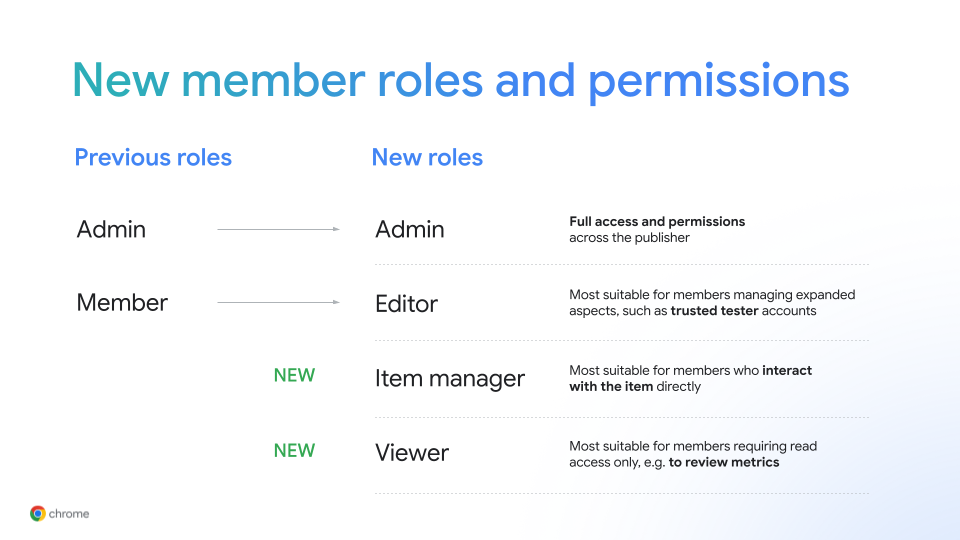
Pick the right member role
Based on feedback of common actions and needs on the developer dashboard, we've created four distinct roles you can choose from going forward:
- Viewer: Restricted to read-only access across the publisher account. Most suitable for members working with metrics or simply to monitor the current state of your items.
- Item manager: On top of the Viewer permission, an Item manager can create, update and publish items. Most suitable for members who mostly interact with the item directly.
- Editor: On top of the Item manager permissions, an Editor has permission to change publisher settings. Most suitable for members that manage expanded aspects of your item, such as your trusted tester accounts, access to organization publishing or other publisher-level settings.
- Admin: Most expansive set of permissions. An Admin can take all actions of the other roles as well as manage members and their roles. For new publishers, the creator will automatically become its Admin and any publisher requires at least one member in the Admin role.
An overview of the specific permissions of each role can be found in our developer documentation.
Add and manage members for your publisher
New members can be added via the new Invite member button above the member table. Invited members will receive an email to the provided address and gain access once the invitation is accepted. Members added through this mechanism don't go through the full developer registration flow and can be added at no additional cost. This method will replace the current mechanism for sharing access to a publisher which relies on syncing users with a Google Group.
Creating a new publisher will continue to require a fully registered developer account including a $5 registration fee.
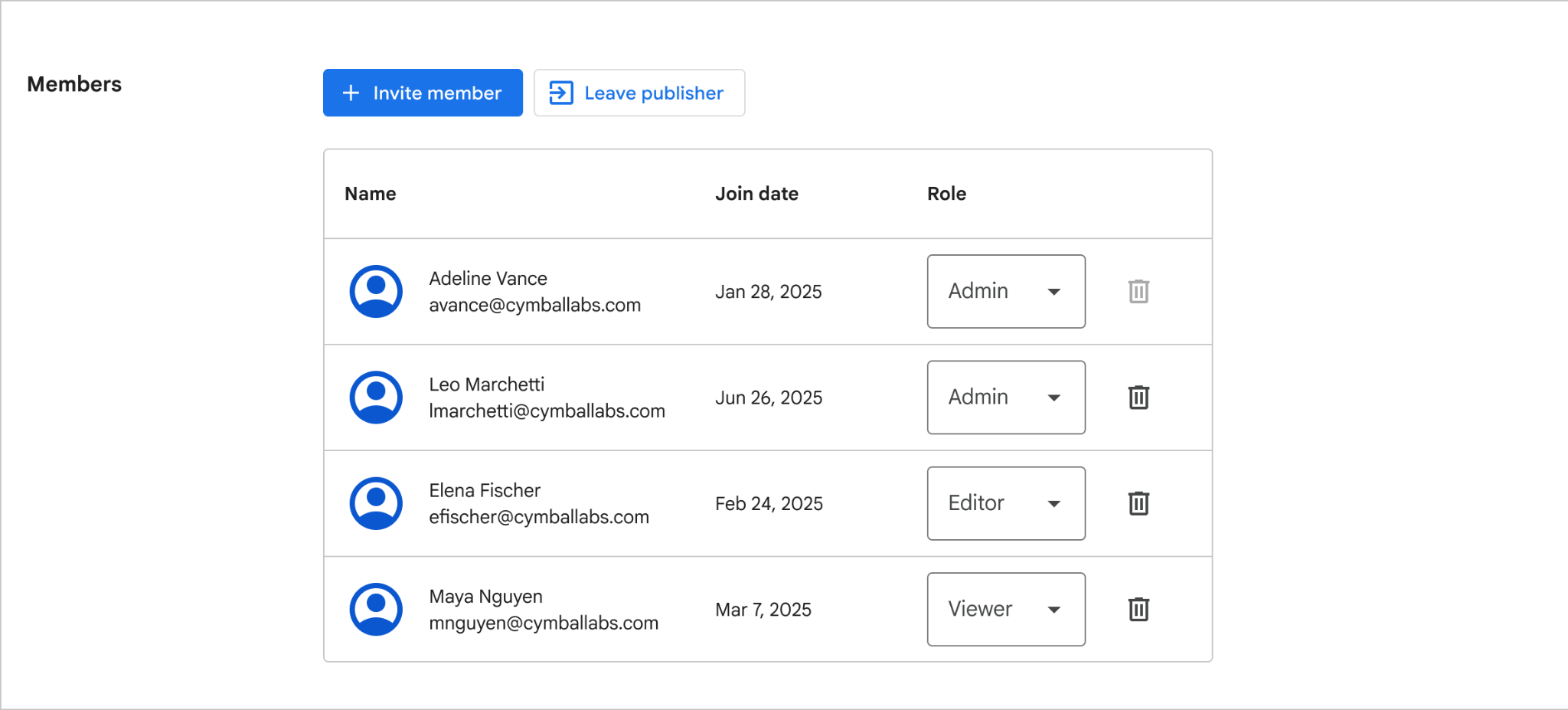
Add and manage members in the Members table
After a member has joined the publisher account, roles can be easily changed in the same table by any Admin.
Transition of your publisher account
All publisher accounts have been transitioned to the new member roles and permissions. Previous Admins remain in the Admin role. Previous Members have become Editors. We recommend taking a moment to review the members of your publisher and update roles to match them with the common actions they take on the developer dashboard.
Share feedback
As always, we'd love to hear what you think. Share your feedback in the chromium-extensions mailing list.